What is it?
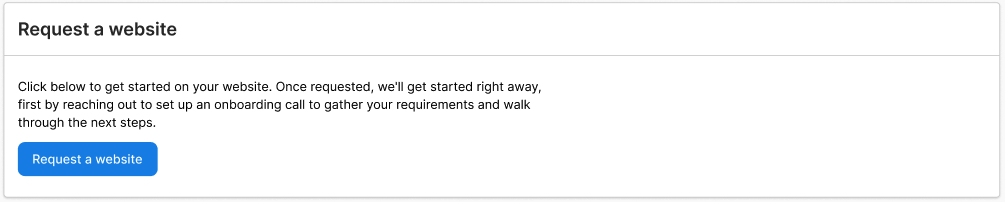
As part of Tekmetric Marketing, we now offer website creation, hosting, and editing. To get started, simply click ‘Request a website’ from the ‘Website’ tab within the Marketing section. Once that's done we'll contact you shortly to get the wheels in motion!
Tekmetric Marketing includes basic Lite sites as parts of the standard package, with Advanced sites available with an additional monthly fee.
Website:
- Hand-built from a large selection of site designs.
- A standard set amount of pages as is included in our designs (number of pages may vary depending on a single location or MSO, and Lite vs. Advanced sites), with ability to incorporate other additional pages upon request (Advanced sites only.)
- Manual QA review.
Services
- Edits - We will accommodate most edit requests. We’re always happy to provide full editing access to allow you to edit your site as needed as well (Advanced sites only.)
- SEO - Basic on-page local organic SEO. Everything you need to get rolling ensuring all fundamental best practices are met.
- Ability to purchase our SEO Services Add-On. See the explanation of SEO Services here.
- Ads - Ability to purchase ad services.
- Free Hosting.
- Free business email setup/migration. Note you will still need to have a pay for provider of your choice such as Google Workspace or Outlook.
- Free fresh content every month via a new monthly blog post.
Site Designs
Check out the libraries below to see our available site design choices.
How to push your site live
Option 1 - Let us do it for you
If you’d like, our team is able to fully take control and help get your site live. You can delegate access from your domain registrar to our team by sharing some details, and we’ll take care of the rest. See below for how to delegate access from your domain registrar, and of course reach out if you have any questions.
How to delegate access from your Domain Registrar
Not sure what domain registrar you use, check here: https://www.whois.com/whois/
Wix: https://support.wix.com/en/article/inviting-people-to-contribute-to-your-site
Squarespace: https://support.squarespace.com/hc/en-us/articles/206537287-Inviting-a-contributor?platform=v6&websiteId=6612a1239e4bb80a526e0615
Godaddy: https://www.godaddy.com/help/invite-a-delegate-to-access-my-godaddy-account-12376
Namecheap: https://www.namecheap.com/support/knowledgebase/article.aspx/192/46/how-do-i-share-access-to-my-domain-with-other-users/
**Web.com:** https://www.web.com/help/article/managing-account-contacts
Option 2 - Do it yourself
Important: Please be sure to coordinate with your Customer Success rep before setting your records so we can be sure our web team has time to complete things on their end. It is best to give us at least 24hrs notice of when you plan to push your site live so that way we can have our web team add it to their schedule (please provide a date/time). If we are informed last minute that you've taken your existing site down and updated the records, we may not have time available to immediately complete things on our end.
Domain: Within your domain registrar navigate to your DNS information for the domain you want to assign to the site, it may say something like "Advanced DNS". Then add the records below, and make sure you chose the correct record type. (Domain Forwarding is done the same way)
(Add these records)
Add a CNAME record for www that points to s.multiscreensite.com
Add an A record for @ that points to 35.172.94.1
Add an A record for @ that points to 100.24.208.97
Once the records are added, be sure to inform your Customer Success Manager so we can complete the push on our end. We will notify you when the site is fully live!
Subdomain: Adding a subdomain is very similar, within your domain registrar navigate to your DNS information for the domain you want to create a subdomain for and assign to the site, it may say something like "Advanced DNS". Decide on a subdomain (ex. test.shopgenie.io is a subdomain of shopgenie.io). Then add the records below, make sure you chose the correct record type.
(Add these records, for added context "test" in this case is the subdomain example)
Add a CNAME record for test that points to s.multiscreensite.com
Once the records are added, be sure to inform your Customer Success Manager so we can complete the push on our end. We will notify you when the site is fully live!
Migration FAQs
We know migrating websites can be time consuming and intimidating. Our goal is to make it as easy as possible with limited interruptions and disruptions to your business. Check out the details below to get up to speed and comfortable with the migration process.
FAQ
Will some pages stop working?
While we make sure to include all pages of value, some pages may no longer be included due to not adding value to the site, however, they will not just stop working. We make sure to 301 redirect any pages that no longer exist, ensuring that you have no broken pages causing a 404 error. This causes users to be redirected to a page that exists instead of receiving a 404 error, and is in line with web development best practices.
Will this affect my search ranking?
Migrating from your old site to your new site will not immediately impact your search ranking, however, over time it should positively impact it as our sites are developed at a standard that exceeds our competition, right out of the box. Depending on the state of your current site, that positive impact could be more or less substantial. If you're looking for more in-depth services as it relates to search ranking you may be a good candidate for our In-Depth SEO Services where we dive into the granular nuances of your site to ensure it's ranking organically as best as is physically possible.
Will my performance or site health be impacted?
Only positively if anything, our track record for performance and site health is unrivaled. Our metrics speak for themselves, you won't find a better site in this regard anywhere else.
Will I lose domain authority?
Absolutely not, we make sure to use the same primary domain currently in use, and to forward any domains that are currently being forwarded as well or that you wish to have forwarded.
Will any existing domains that are forwarded still be forwarded?
Of course, our standard operating procedure is to always forward any domains that are already being forwarded to the existing site. Please let us know if any others should be forwarded.
How long will my site be down?
This depends a bit, due to propagation. For context, propagation is how long it takes for servers across the world to update with the new address for your new site. This can be fairly quick, only taking minutes, but can also take as long as 72 hours. This is not something we have control over, it is an automated process, and sometimes it's completed quicker than others depending on the existing nameservers. Please proactively inform your CS representative when would be ideal for you to go live, after you've provided DNS/Domain access.
Will my domain-based email continue to work?
Yes your email address(es) associated with your domain should continue to work, we make sure to transfer over any relevant MX & TXT/SPF records when pushing your site live. This means that you may experience a period of time where your email may be down due to DNS record propagation as mentioned in the above question "How long will my site be down?". That all being said, there are rare cases where DNS records need to be configured in a unique fashion to allow your domain-based email to continue working, this typically is associated with emails set up with Microsoft/Outlook, please inform your Customer Success representative if this is the case for you. Also, there are very rare cases where an existing email provider like NetDriven may not permit us to link to their existing inbox, in which case we're happy to facilitate an inbox migration to Google Workspace/Gmail.