What is it?
The Tekmetric Reviews enables you to review, analyze, and respond to Google reviews and private feedback directly from within Tekmetric.
One very important aspect of Customer Relationship Management is engagement with customer reviews. Staying on top your reviews and private feedback as they come in will help to deepen your relationship with customers and attract new customers by demonstrating your attention to detail and the customer experience you deliver.
Why is it important?
Your online presence is a critical component to running a successful shop, and customer reviews play a significant part in building your online presence and credibility with new and returning customers.
The Tekmetric Reviews Center allows you to view, analyze, and respond to reviews and private feedback. Active engagement with your customers has the following benefits:
- Builds Trust and Loyalty: Engaging with reviews demonstrates that the business values customer feedback, strengthening customer relationships and fostering trust.
- Boosts Visibility: Google prioritizes businesses with higher engagement, potentially improving search rankings and discoverability.
- Turns Negative into Positive: Addressing critical feedback shows accountability and can recover dissatisfied customers, showcasing dedication to improvement.
- Encourages More Reviews: Visible interactions incentivize more customers to share their feedback, enhancing review volume and quality.
- Provides Marketing Insights: Reviews reveal trends, preferences, and pain points, offering actionable insights for product or service improvement.
How does it work?
Note: Only users with Shop Settings enabled will be able to view, manage, and respond to feedback within the Tekmetric Marketing.
Integrate with Google
Within Reviews, click ‘Review Settings’. The below modal will pop up and walk you through the integration steps.
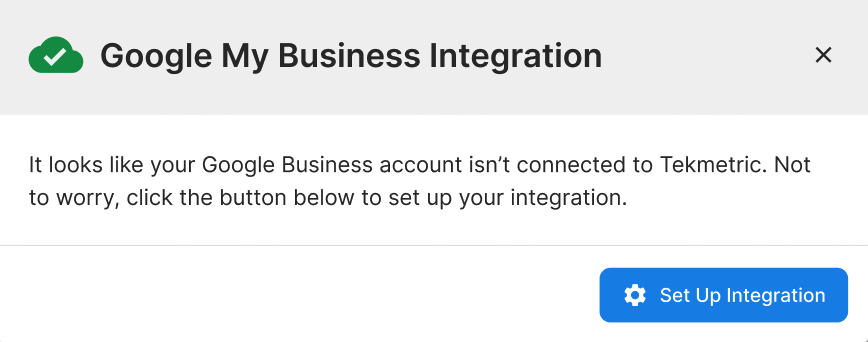
If your Google Account has multiple locations, you’ll select the location that corresponds to the shop you’re currently setting up in the following modals.
When integrating with Google, be sure to give Tekmetric the correct access to your Google account. We’ll need the See, edit, create and delete your Google business listings selected.
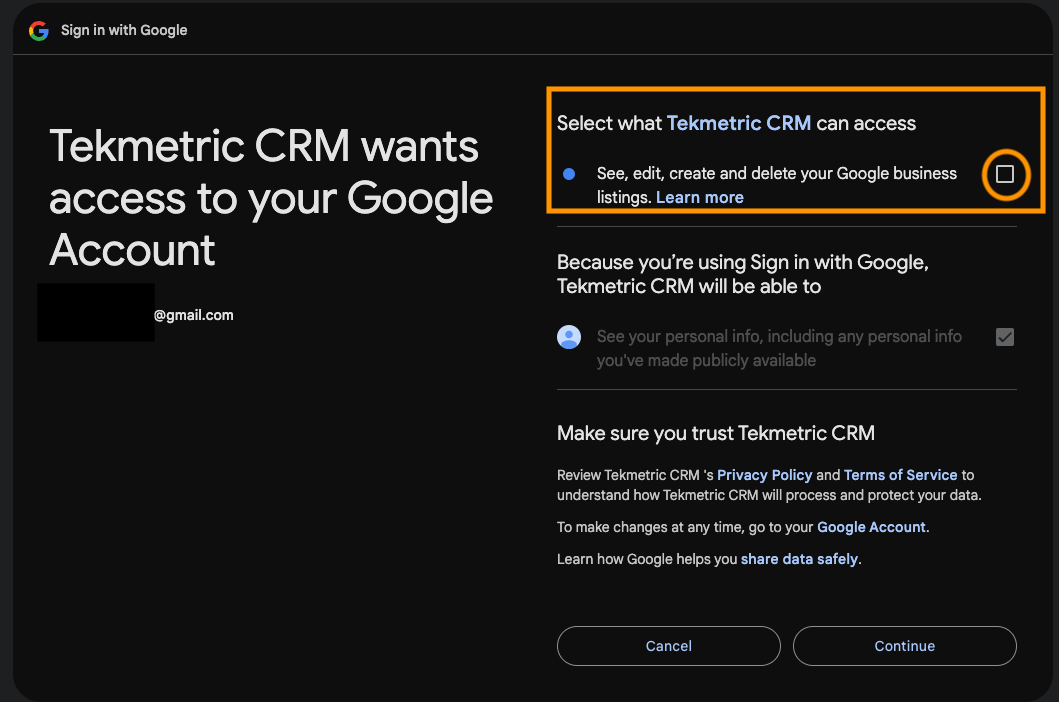
Note that it can take between 4-24 hours to fully populate all previously submitted reviews into Tekmetric.
Manage and Respond to Reviews
- Filter and view reviews. You’ll be able to filter by time period, rating, as well as choose to see reviews that have already been responded to.
- See top level analytics, such as overall Google star rating, the current month star rating, total reviews, the number of reviews awaiting responses, and a count of positive and negative reviews. Negative reviews are any reviews of 1 or 2 stars.
- Respond to reviews. Click the
Reply button, and you can reply to the review directly from Tekmetric. Additionally, you can choose to edit or delete a response if you need.
AI-Generated Review Responses
Responding to reviews consistently can be time-consuming, which is why Tekmetric now offers an AI-powered response writer to help you craft thoughtful, professional replies in seconds. When viewing a review, simply click the Reply button and select Generate Response. The AI will draft a response based on the content of the review, which you can use as-is or edit before posting.
The AI takes the sentiment and details of each review into account, so positive reviews and critical reviews will receive appropriately tailored suggestions. You are always in control of what gets posted. The generated response is a starting point, not an automatic reply. Nothing is published until you review and confirm it.
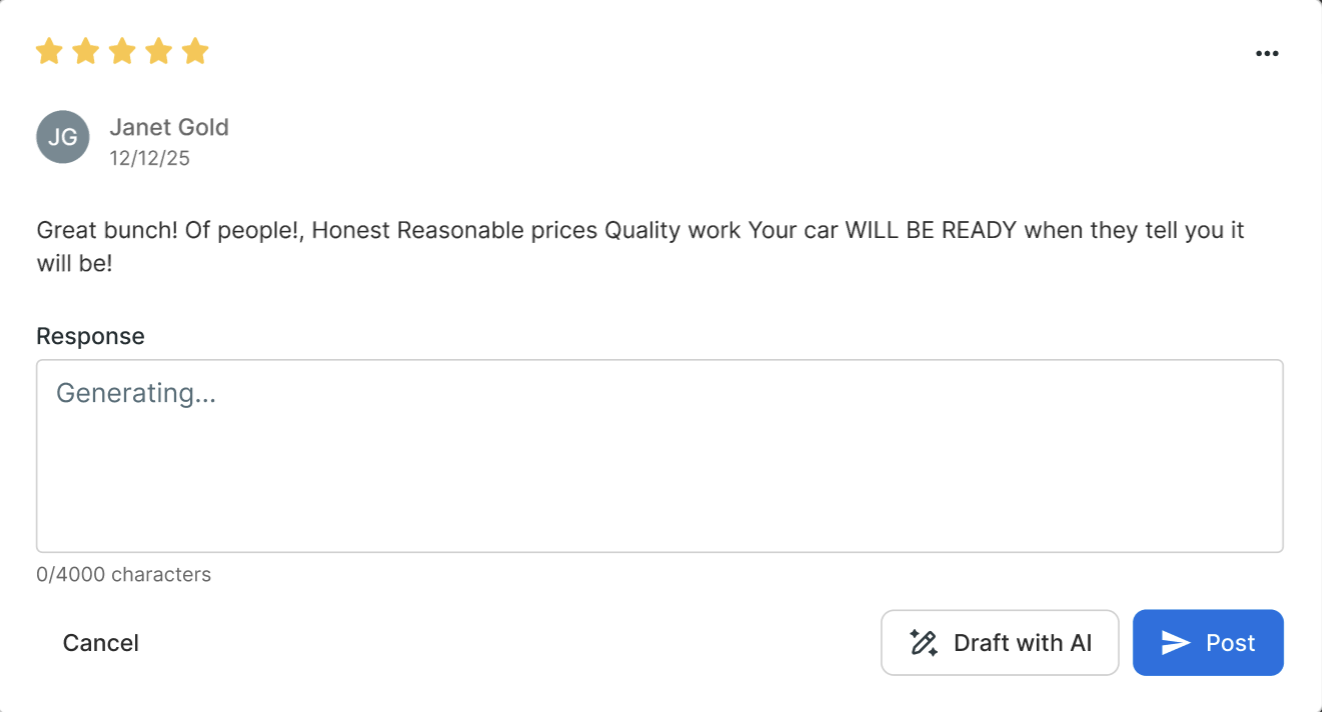
A few things to keep in mind when using AI-generated responses:
- You can edit before posting. The generated draft is fully editable. Feel free to adjust the tone, add specific details, or personalize it before submitting.
- Responses post to Google directly. Once you confirm the response, it will publish to your Google Business profile the same way a manually written response would.
- The AI works best with context. Reviews that include more detail will generally produce more specific and useful response suggestions.
- This feature requires Google integration. Your shop must have the Google My Business integration connected in order to post responses. See the Integrate with Google section above for setup instructions.
- AI suggested replies will never put your shop in a compromising position. We have trained the responses to never acknowledge fault by your shop, offer advice, refunds, or anything that may put your shop in a bad position. It is up to you what you would like to post, as AI responses are merely a suggestion.
Manage and Review Private Feedback
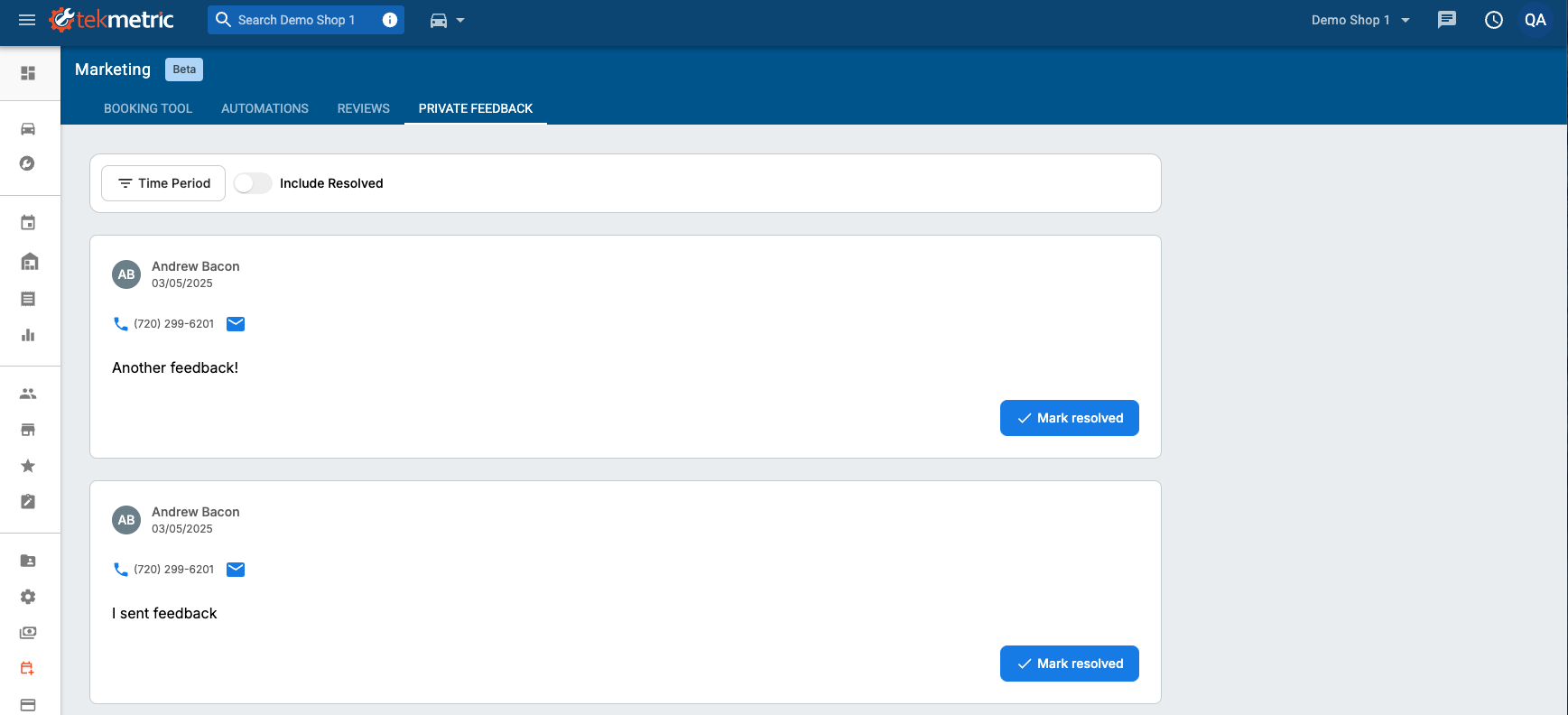
In addition to Google reviews, Tekmetric allows customers to send feedback directly to your shop. This Private Feedback can be viewed and managed from the Private Feedback tab.
Using the Review Request automation, your customers will receive an automated text message 24 hours after their RO posts to request a review. Within this text message they will receive a link to a reviews portal, where they can choose to submit a Google review, or provide private feedback.
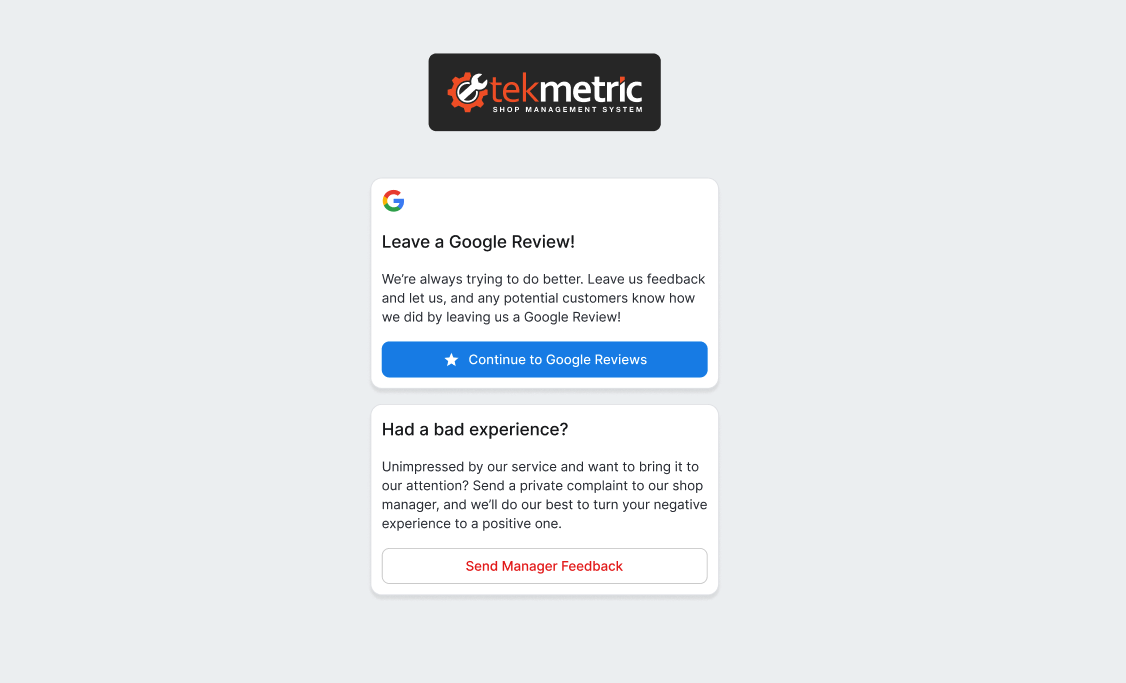
If the customer chooses to leave a Google review they’ll be directed to your Google profile to leave a review for you. If they choose to send feedback, we’ll direct them to a form to submit feedback directly to you. This feedback will then populate on the ‘Private Feedback’ tab within Tekmetric, allowing you and your team to respond directly to customers.
Note that each customer will only have one active reviews link available at a time. Each time a customer comes in for service and has a paid and posted RO, Tekmetric will send them a review request message, which you can customize in the Automations tab.
Similar to Google reviews, you’ll be able to filter by time period and view feedback that has or has not been already resolved.
Private Feedback Notifications
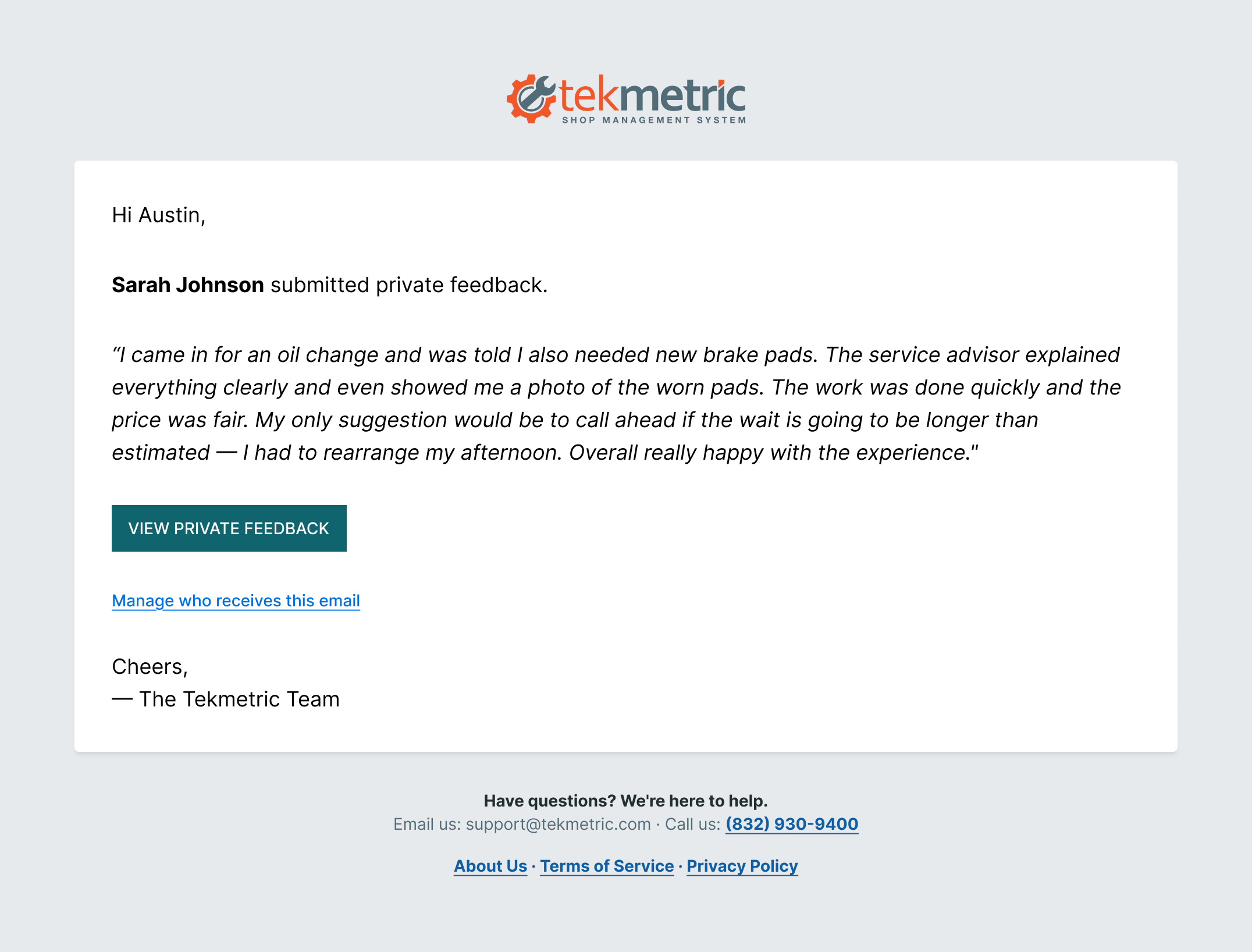
When a customer submits private feedback, Tekmetric will automatically send a notification email so you don't have to keep checking the Private Feedback tab to know something came in.
By default, this notification goes to shop owners. From there, you can add anyone else on your team who should be notified, or adjust who receives them, in Shop Settings > Marketing > Private Feedback.
The notification email includes two links:
- View Private Feedback so you can respond to your customer
- Manage notification recipients, in case you want to add or remove someone
Review Compliance
Our review automation is fully compliant with Google’s policies and does not engage in review gatekeeping. Review gatekeeping occurs when a business asks customers about their experience first and then only directs satisfied customers to leave a public review while filtering unhappy customers into private feedback.
Our process does not pre-screen or filter customers based on sentiment. Instead, all customers are presented with the same options on a single page: they can either leave a public review (such as on Google) or submit private feedback directly to the shop. Because we do not condition access to the review link on a positive response, this approach remains compliant with Google’s guidelines.