New Feature: Archive Vehicle
We've added the ability to archive vehicles as a more flexible way to manage vehicles and keep accurate records without worrying about accidentally losing valuable data.
Justin, a Product Manager at Tekmetric, shares more details about this new feature in the video below:
🔍 What’s Changed?
Before September 4th, 2025: Deleting a vehicle permanently removed it from the customer’s profile. It could only be recreated manually as a brand-new vehicle. Deleted vehicles could not be found in the global search or transferred to a different customer.
On and After September 4th, 2025: Deleting has been replaced with archiving. Archived vehicles are moved from the “Current Vehicles” tab to a new "Archived Vehicles" tab. They can be found using the global search (more details below) and can be restored at any time. They can also be transferred to a different customer in the event that the vehicle is sold.
In this article, you will find information on:
How to Archive a Vehicle
- Click the Customers section on the left menu bar.
- Click on the desired customer you want to update.
- Click on the three action dots to the right of the vehicle you would like to archive.
- Click Archive Vehicle.
- Click Confirm to archive the vehicle.
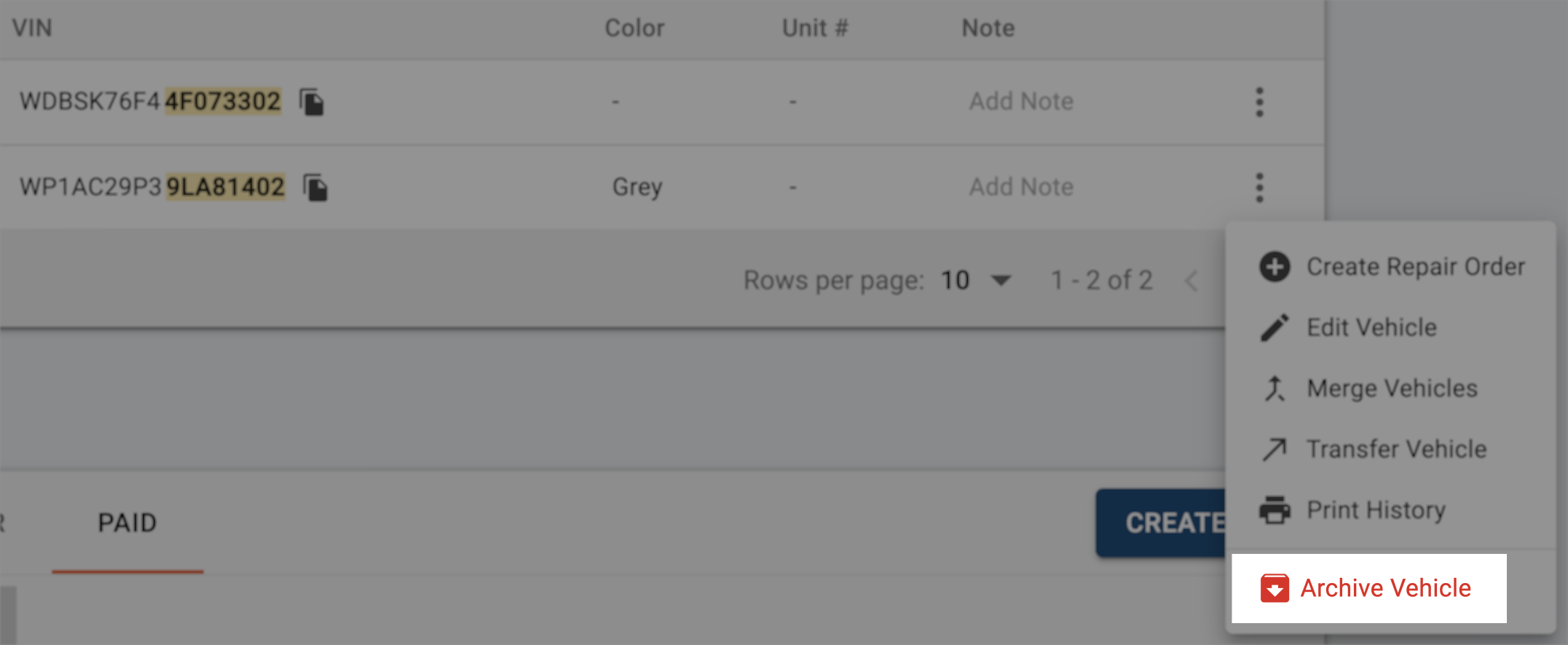
How to Find an Archived Vehicle
- If you do not know which customer is associated with the vehicle, search for the plate or VIN in the global search next to the Tekmetric logo.
- Archived vehicles will be differentiated by a grey "Archived" tag to the right of the vehicle results.

- If you know which customer is associated with the vehicle, click the Customers section on the left menu bar.
- Click on the desired customer you want to update.
- Click on the Archived Vehicles tab to see all archived vehicles associated with that customer.
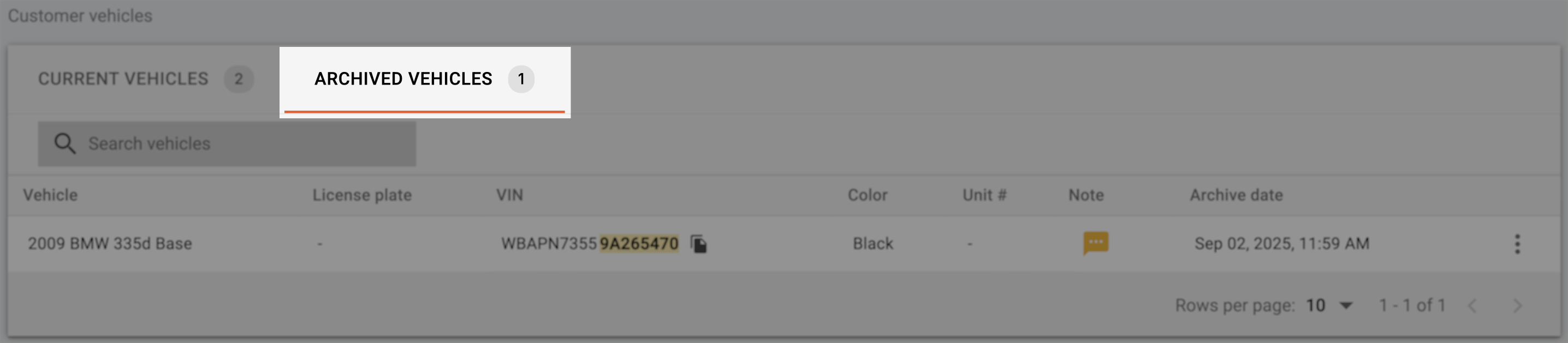
How to Restore an Archived Vehicle
- Click the Customers section on the left menu bar.
- Click on the desired customer you want to update.
- Click on the Archived Vehicles tab.
- Click on the three action dots to the right of the vehicle you would like to archive.
- Click Move to Current Vehicles.
- Click Confirm to restore the vehicle.
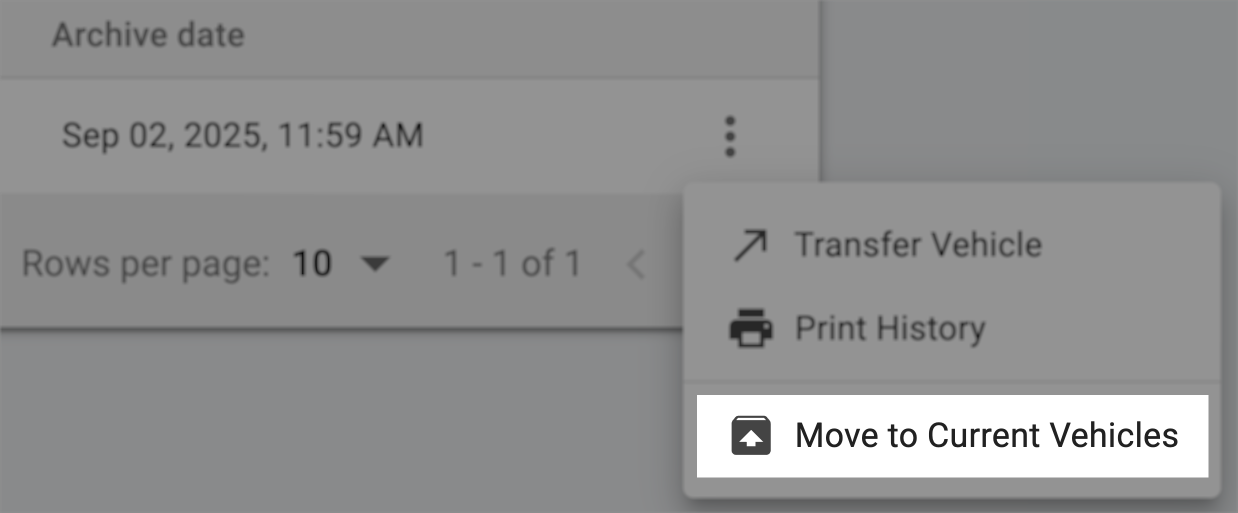
Frequently Asked Questions (FAQ)
How does this help me?
This change organizes your shop’s data and ensures that repair history is easy to find, even if a vehicle has been removed from active use. It also makes transferring, merging, or recreating vehicles easier because you have full visibility into both current and past vehicles as well as their repair history.
Will archived vehicles clutter my customers' active vehicle list?
No. Archived vehicles are kept separate and won’t clutter your current vehicle list.
Can I restore an archived vehicle?
Absolutely! You can restore an archived vehicle at any time. You can also transfer an archived vehicle to a different customer in the event that the vehicle is sold.
Why am I seeing duplicate vehicles in the Archived Vehicles tab?
In the past, if you recreated a vehicle after deleting it, both copies are now visible: the archived one and the active one. This is expected and ensures you have a complete history.
Can I still permanently delete a vehicle?
No. To prevent data loss, Tekmetric no longer supports permanent vehicle deletions. Archiving has replaced deleting.