In Tekmetric, a customer's tax-exempt status is applied on the customer profile, however, you can always change it on the sidebar on the repair order or as a one time change on the repair order itself.
Navigate to the Customer's Profile
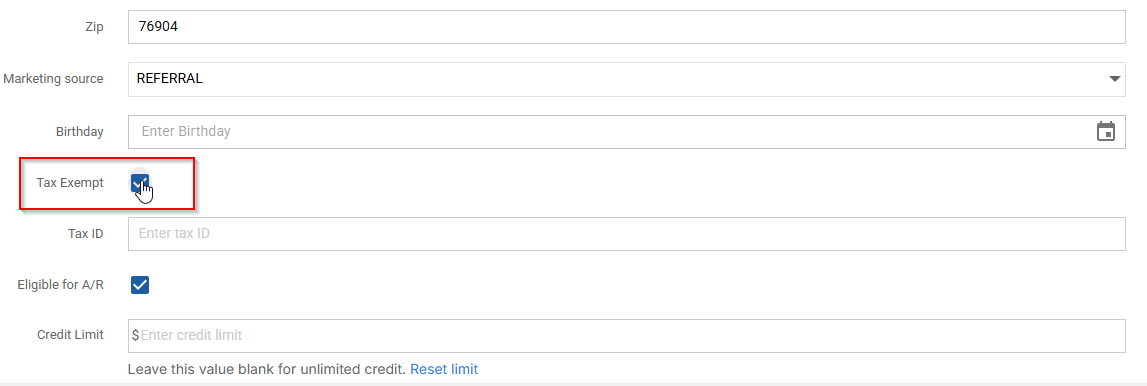
- Open the customer's profile and look under the customer info section
- You can then select the Tax Exempt box from the profile
- At any time, you can navigate to the profile and uncheck this box if need be!
Navigate to the Repair Order
- Open the customer's repair order
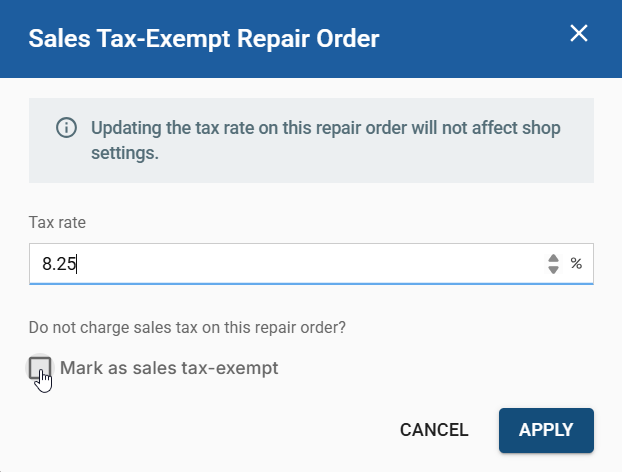
- You can then select the "taxes" button on the bottom of gray bar. This will be located on the estimate tab on the same line as the green authorization button.
- Then you can check the "Mark as sales tax-exempt" box and it will be applied to the repair order.
Navigate to the Grey Sidebar
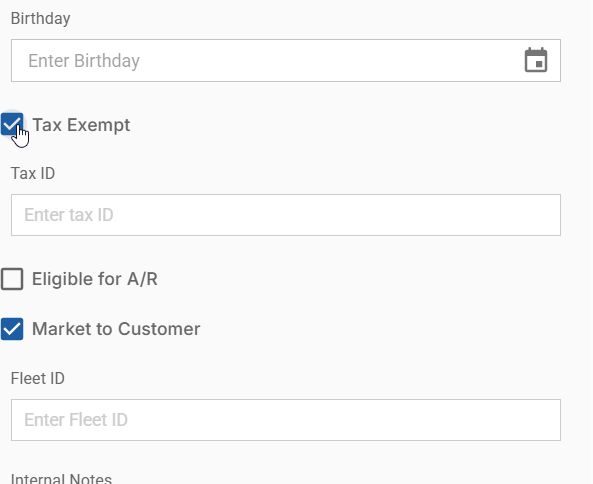
- Select the customer's name and edit the profile
- You can then select the Tax Exempt box from the profile and enter a tax ID if need be
- This will change it for the current repair order and every repair order moving forward
Turn Off Taxes for a specific job on the RO
- Uncheck the tax, as well as the parts and labor tax boxes to disable taxes for any specific job.