Each employee profile contains a History section. Within this section, there are two tabs that allow users to see employee login and permissions history.
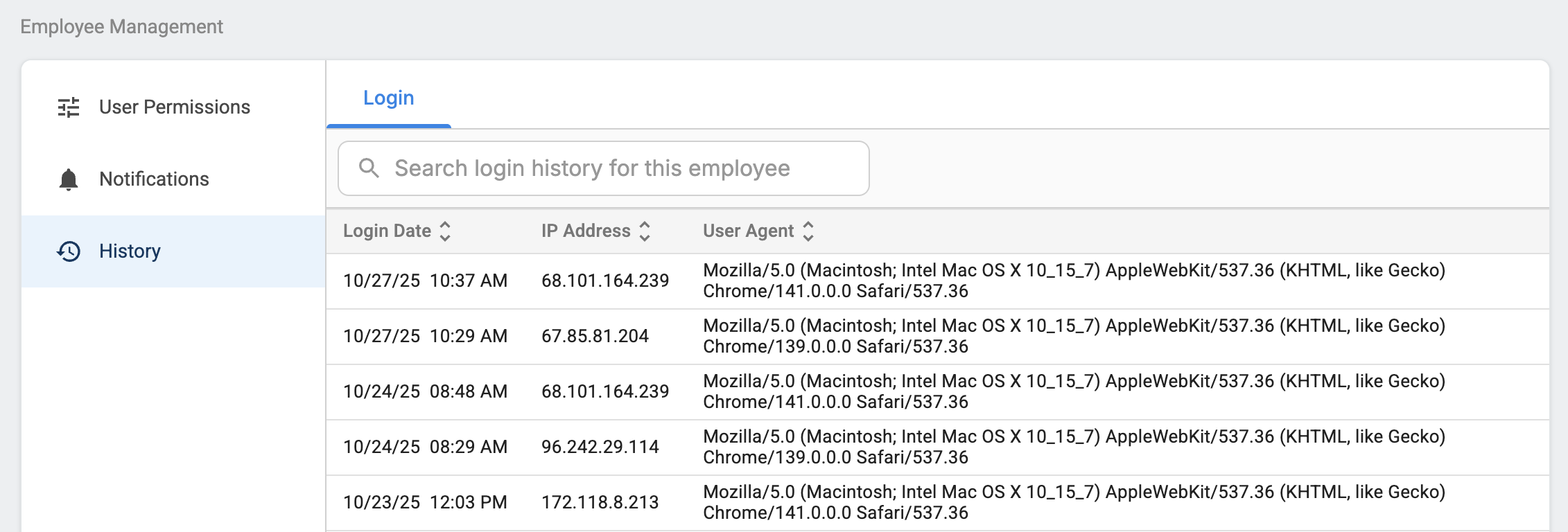
Login
Tekmetric records login date, time, IP address and user agent every time an employee logs in. Some shop owners and managers find this helpful to track if employees are logging in after hours or outside the shop.
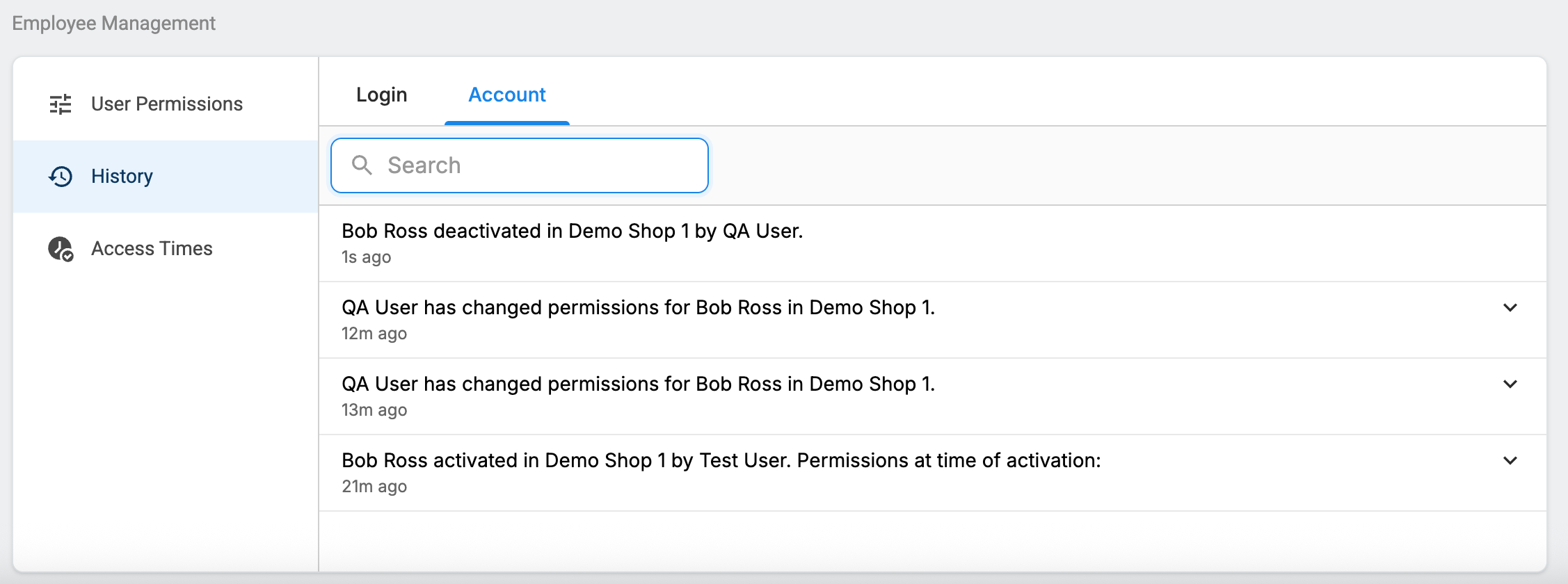
Account
Note: Only Shop Owners can view this tab.
This tab contains:
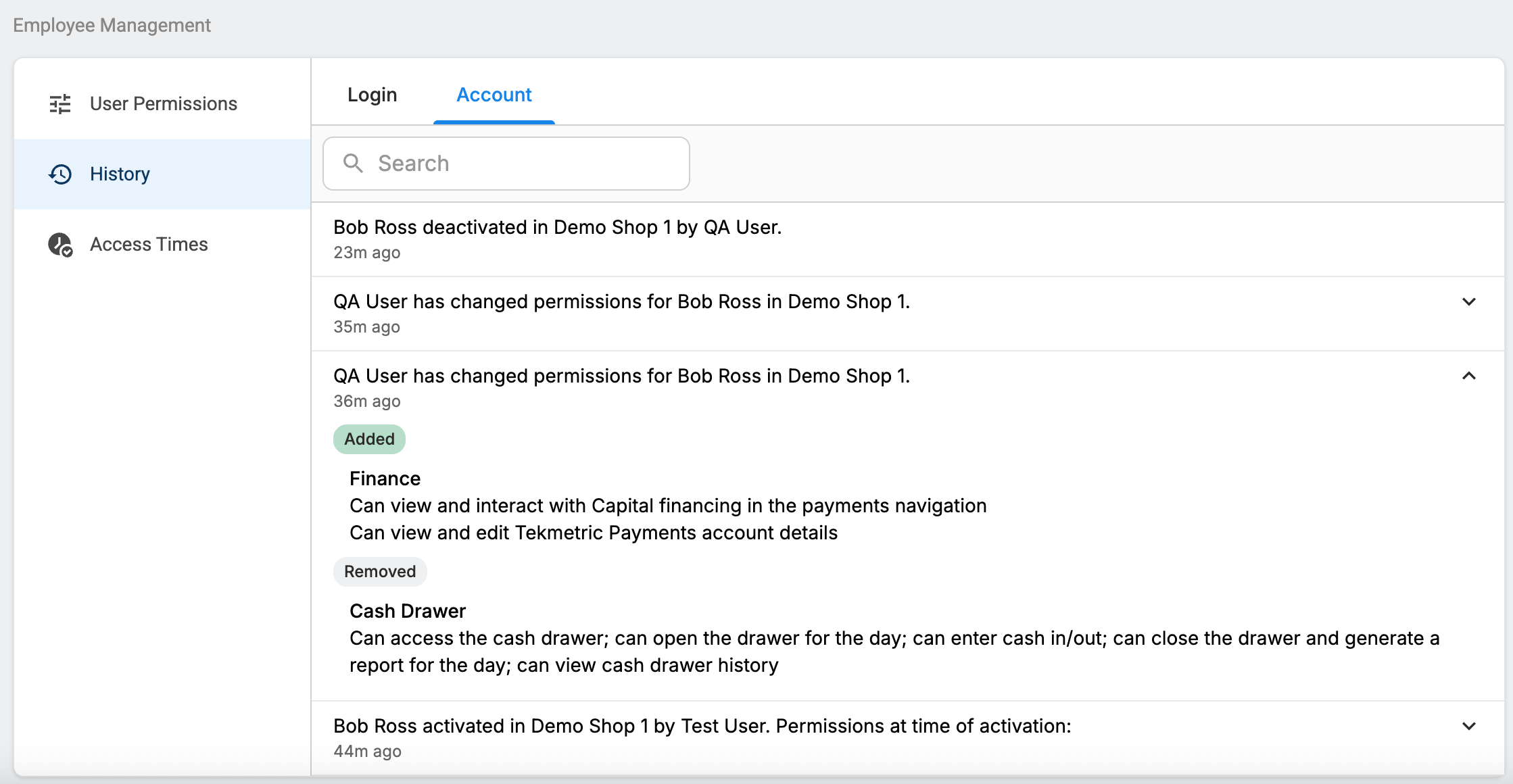
- All activation and deactivation history for the employee in the shop. See this article for details on employee activation and deactivation. All activation entries now display the permissions that were given to the employee at the time of activation.
- All permissions history for the employee. Any time an employee's permissions are changed, an entry is added into this section that captures who made the change, what the change was, and when the change was made.
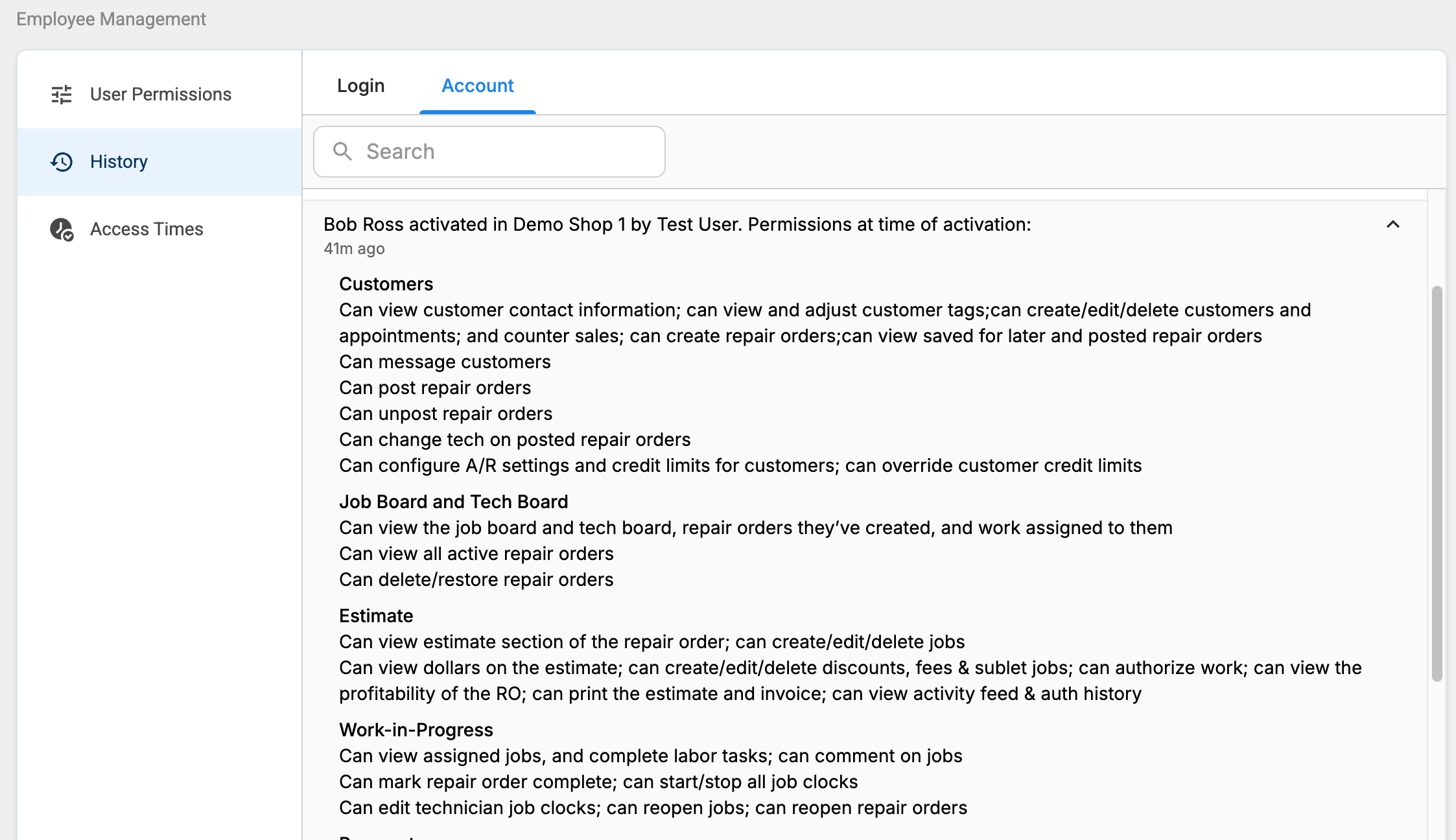
Each entry can be expanded to view more details. See below for examples of what’s captured for each entry type:
Activation Entry (permissions at the time of activation are listed out in full)
Permissions Change Entry (added permissions and removed permissions are listed out in full)
Multi-Shop
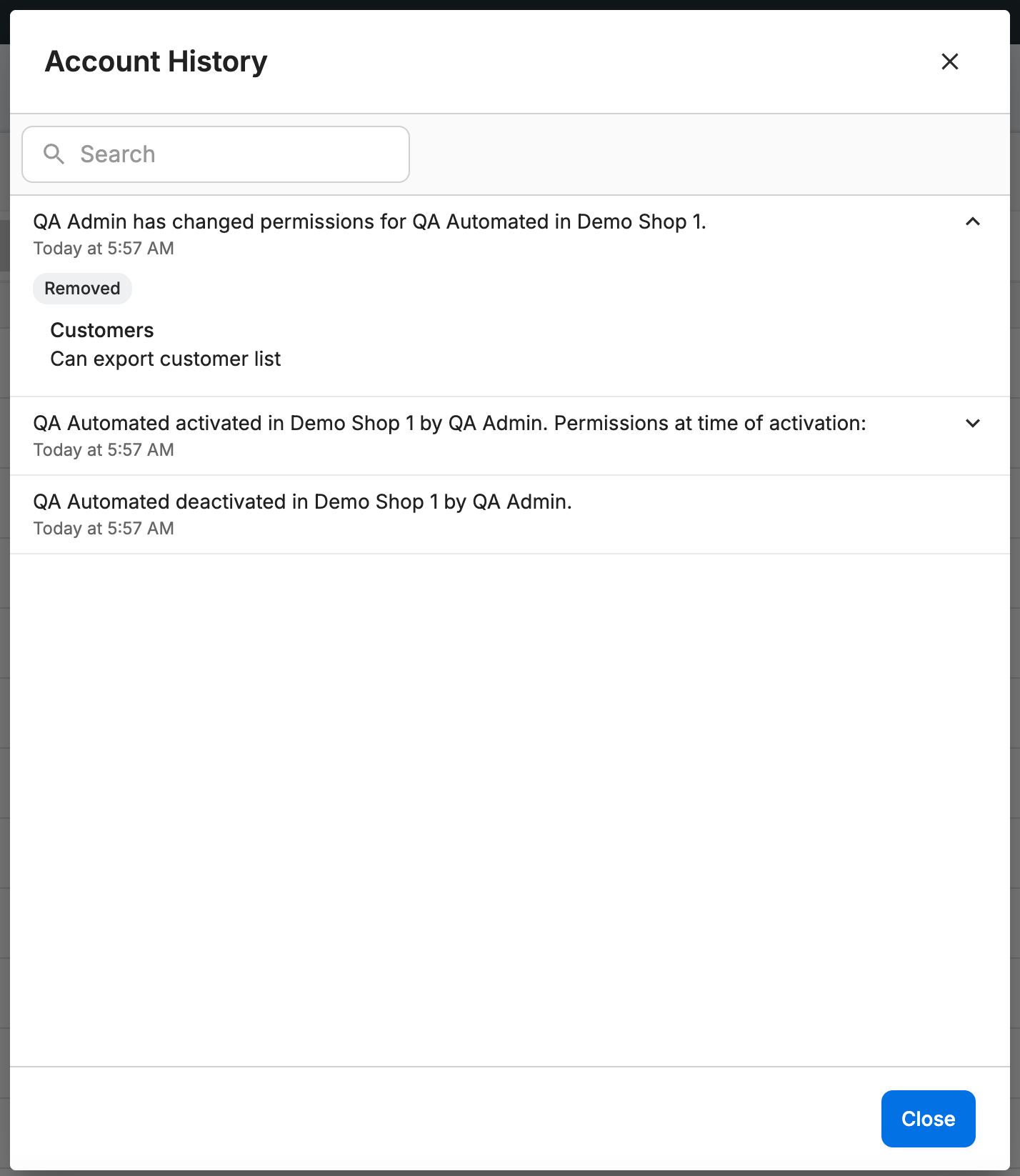
The same information can be viewed in Tekmetric Multi-Shop by accessing an employee's history via the Account History option.
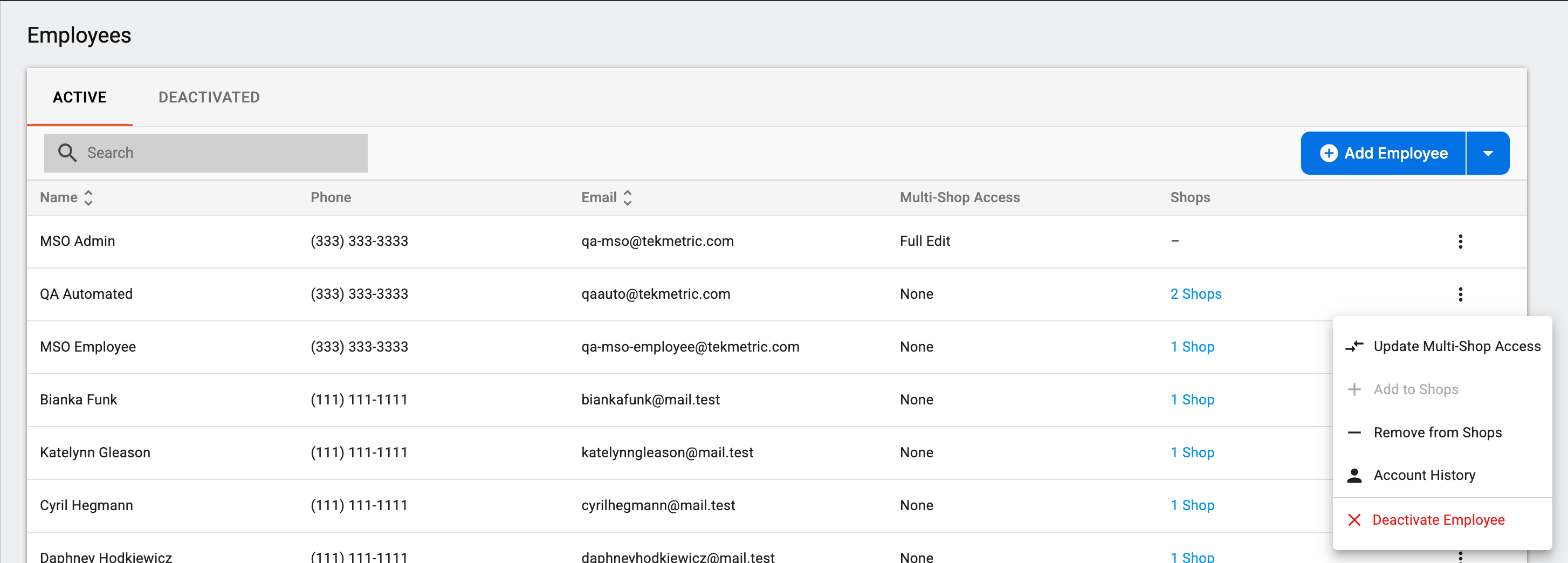
The employee's account history across ALL of their shops, including permissions history, will be displayed in this section.