New Feature: Transfer During Duplicate Vehicle Alert
We've added the ability to transfer a vehicle as soon as we determine that the vehicle already exists under a different customer's profile. This change makes it easier for you to manage your customers' vehicles and keep accurate records without duplicating vehicles or misplacing valuable data.
Justin, a Product Manager at Tekmetric, shares more details about this new feature in the video below:
🔍 What’s Changed?
Before November 11th, 2025: You were alerted that there was a potential duplicate vehicle, but could not easily transfer the vehicle to the new customer's profile.
On and After November 11th, 2025: You now have the option to easily transfer a vehicle to the new customer's profile as soon as we determine that the vehicle already exists under a different profile. You can also choose to remove the plate information if the vehicle will be receiving a new plate and registration details associated with the new owner.
Potential Duplicate Vehicle
Tekmetric will provide an alert when you add a vehicle that may already exist in your customer database. The alert appears when Tekmetric detects a vehicle that matches one or both of the following criteria:
As shown below, the alert will display the current customer(s) associated with that vehicle. You can choose whether you want to transfer the vehicle to the new customer's profile or create a duplicate of the vehicle.
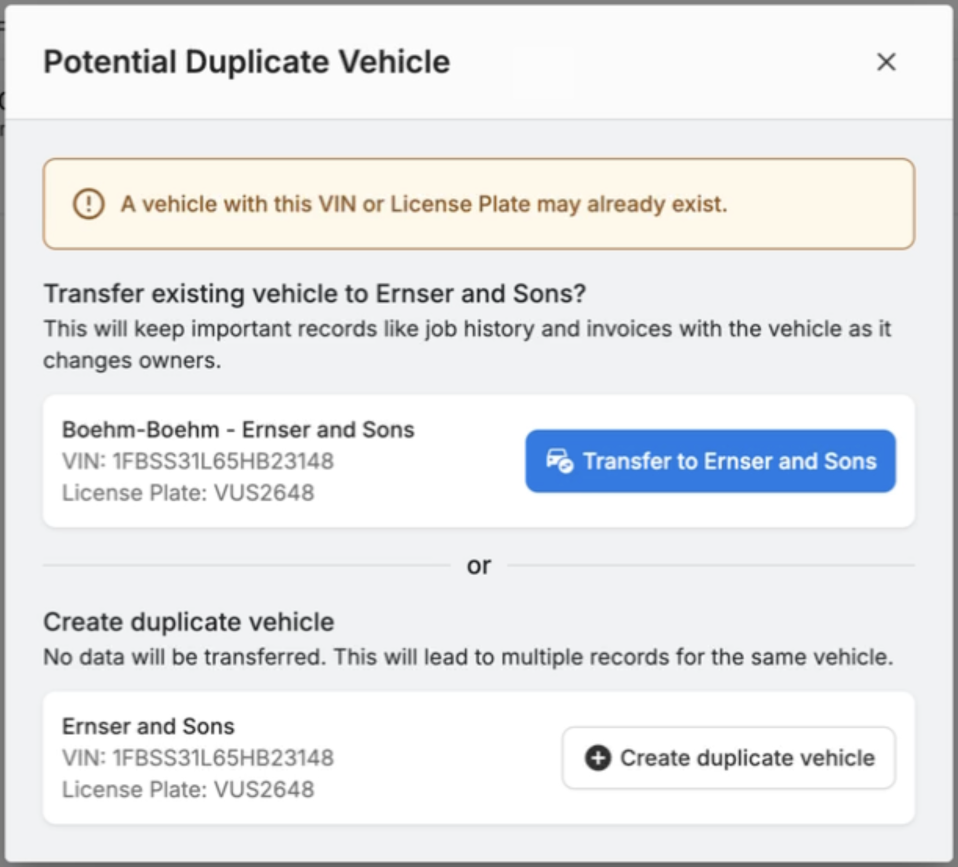
Choosing the option to transfer a vehicle will allow you to choose between the following three options:
- Transfer Vehicle Only: This option will only transfer vehicle's information (Year/Make/Model/Engine); however, no job history or invoices will be transferred.
- Transfer Vehicle & Searchable Job History: This option will transfer the vehicle's information and any job history associated with the vehicle. The invoices will stay with the original vehicle owner and the lifetime statistics will not be affected.
- Transfer Vehicle, Job History & Invoices: This option will transfer all the information and invoices related to the vehicle. The original vehicle owner will no longer have those invoices and the lifetime statistics will be affected.
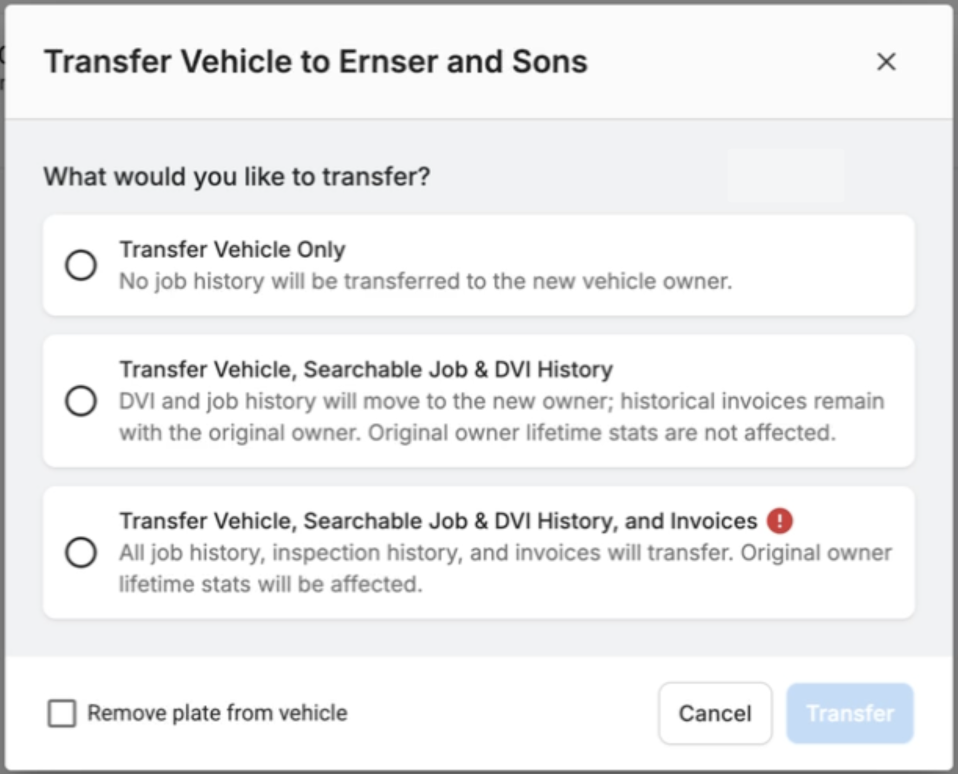
Note: Once you transfer the vehicle, it can not be reversed. You will need to go into the new vehicle owner's profile and transfer it back to the original customer.