New Feature: Configure Gross Profit per Hour (GP/hr) Goals
Shop Owners and Shop Admins can now configure minimum and maximum Gross Profit per Hour (GP/hr) Goals so that employees can easily see if a job or repair order meets your shops’ profitability goals.
To get started, navigate to the Shop Settings page and then select the RO Settings tab.
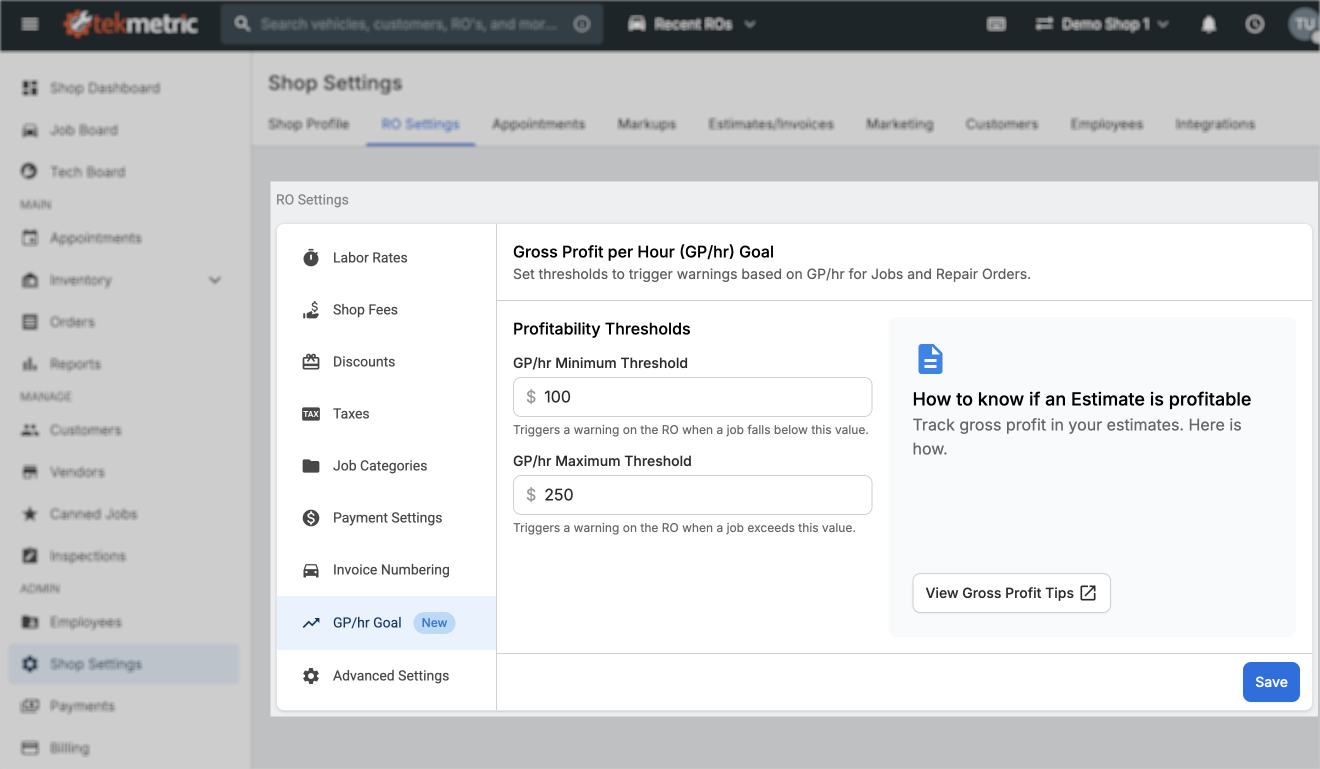
Begin by entering your Minimum and Maximum Gross Profit per Hour (GP/hr) Thresholds. Click the Save button in the bottom right corner of the settings menu to publish. Your employees will now be able to see how their jobs and repair orders meet your shop's profitability goals. If you're not sure what these thresholds should be, reference our Understanding if the Estimate is Profitable support article.
Job Profitability Goals
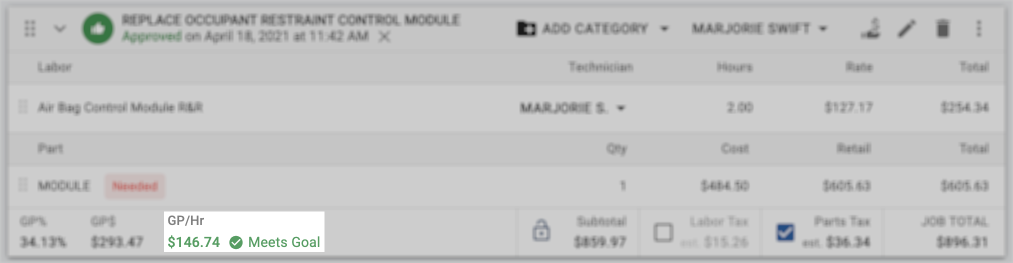
If a job falls between your Minimum and Maximum Threshold, a green "Meets Goal" icon will be displayed at the bottom of the job table. From the example above, where our minimum is $100 per hour and our maximum is $250 per hour, $146.74 falls in the middle and therefore "Meets Goal" as shown below:
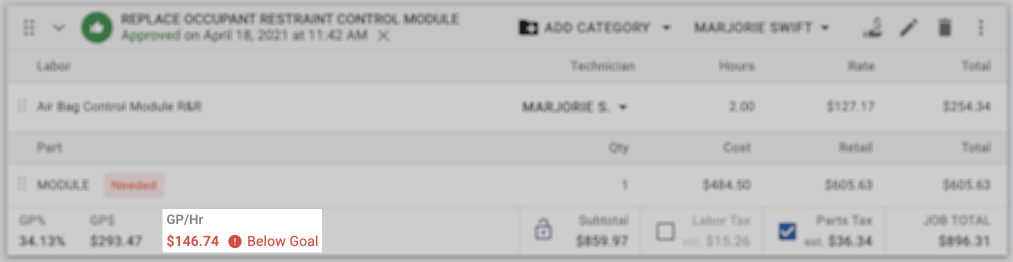
If your minimum threshold was set to $150, that same job would show a red "Below Goal" icon as shown below:
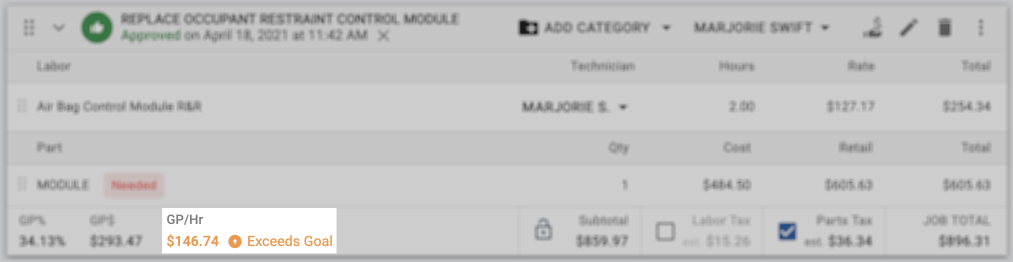
If your minimum threshold was set to $100 and your maximum threshold was set to $140, that same job would show an orange "Exceeds Goal" icon as shown below:
Repair Order Profitability Goals
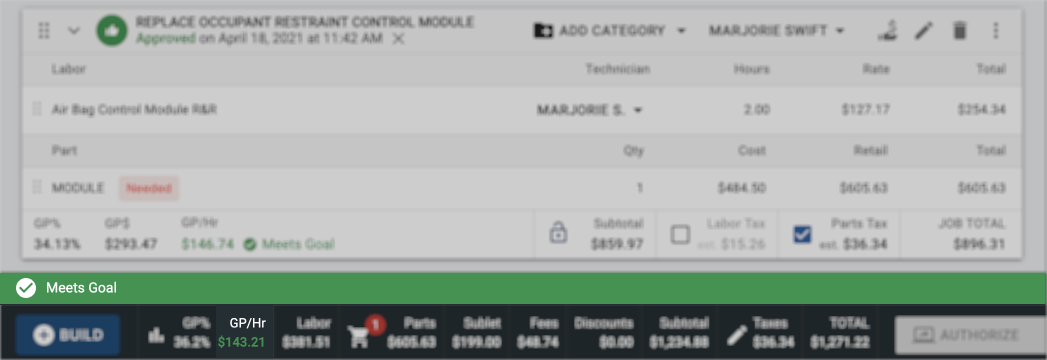
At the bottom of the repair order, a colored bar will display whether the entire repair order is below, meets, or exceeds your shop's GP/hr goals. Going back to our original example where our minimum threshold is $100 per hour and our maximum is $250 per hour, $146.74 falls in the middle and therefore "Meets Goal" for the entire repair order as shown below:
Frequently Asked Questions (FAQ)
Now that you've seen how to configure your Gross Profit per Hour (GP/hr) Goals and understand the visual indicators that your team will see on the Estimate, here are a few Frequently Asked Questions to help you get started quickly:
Who can configure and edit Gross Profit per Hour (GP/hr) Goals for my shop?
Only Shop Owners and Shop Admins will have the permission level necessary to configure and edit your shop's Gross Profit per Hour (GP/hr) Goals.
Do I need to set both a minimum and a maximum threshold?
No, you may choose to configure only a minimum or only a maximum threshold.
Configuring only a minimum threshold will show "Below Goal" indicators when a job or estimate is below your minimum threshold and "Meets Goal" indicators when a job or estimate is above your minimum threshold.
Configuring only a maximum threshold will show "Exceeds Goal" indicators when a job or estimate is above your maximum threshold.
Can I disable this feature?
Of course! To turn off Gross Profit per Hour (GP/hr) Goals and remove all of the visual indicators shown above, simply clear the contents of the minimum and maximum threshold fields and save the page.