New Feature: Federal Excise Tax (FET)
Federal Excise Tax (FET) is a federal tax that applies to certain products, including heavy‑duty tires. If your shop sells eligible tires, FET must be charged to the customer at the time of sale—separate from other taxes.
With Tekmetric, FET can now be applied to qualifying tires and shown as a clear line item on estimates and invoices, helping you stay compliant while keeping pricing transparent for your customers.
Adding Federal Excise Tax (FET) to an Order
To add the Federal Excise Tax (FET) for an order of tires, begin by navigating to the Orders page, selecting the appropriate order, and then selecting the Edit pencil on the Ordered Parts table as shown below.
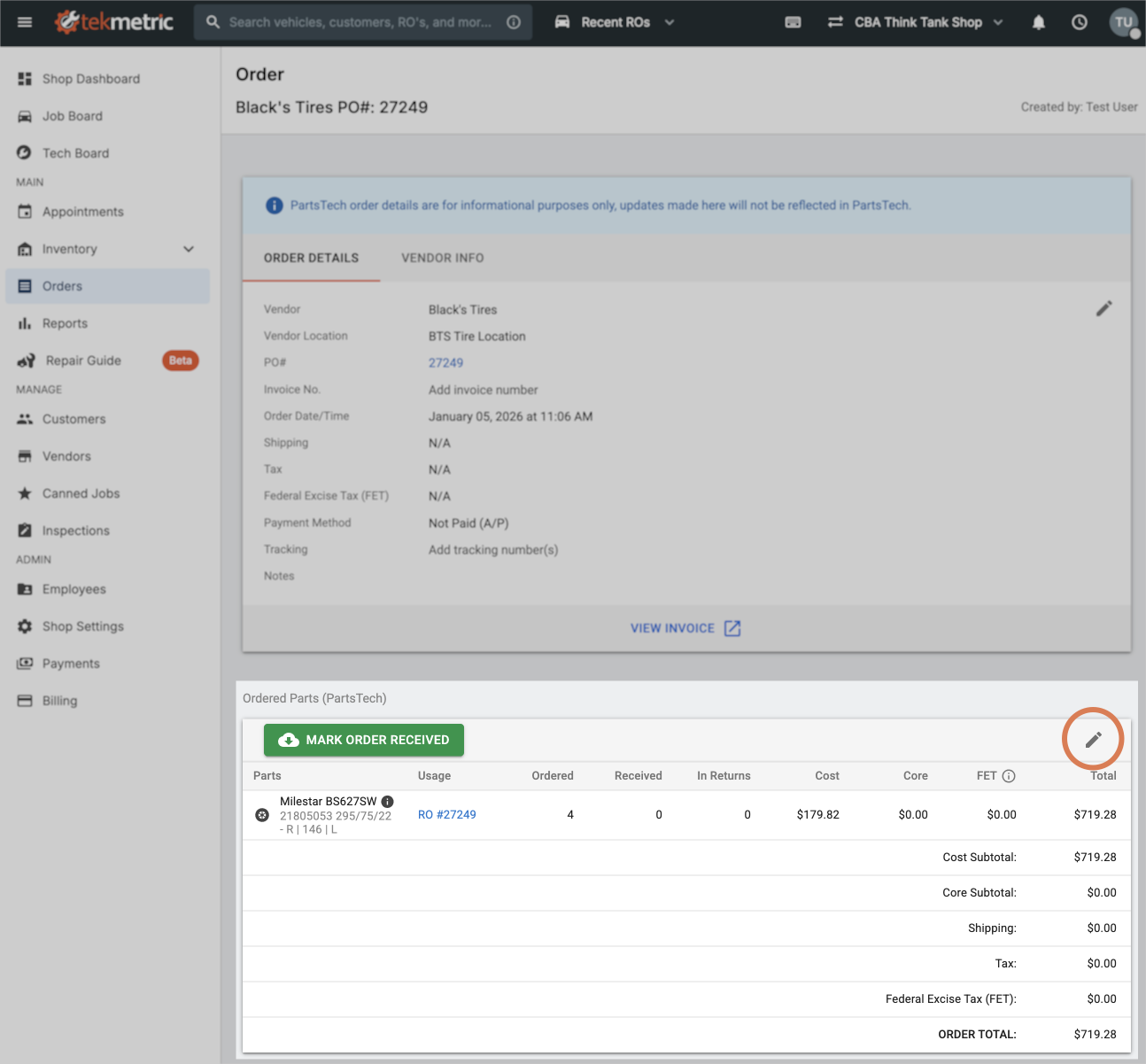
If your user account has the permission to edit orders enabled, you will be able to enter the FET value at the top of the table.
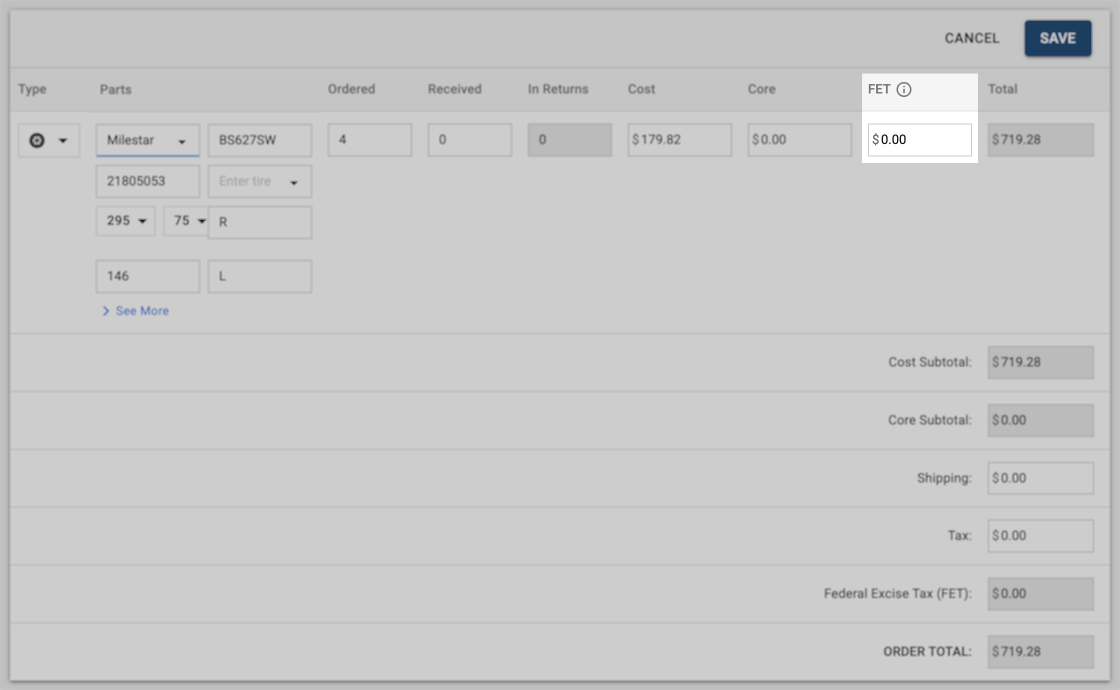
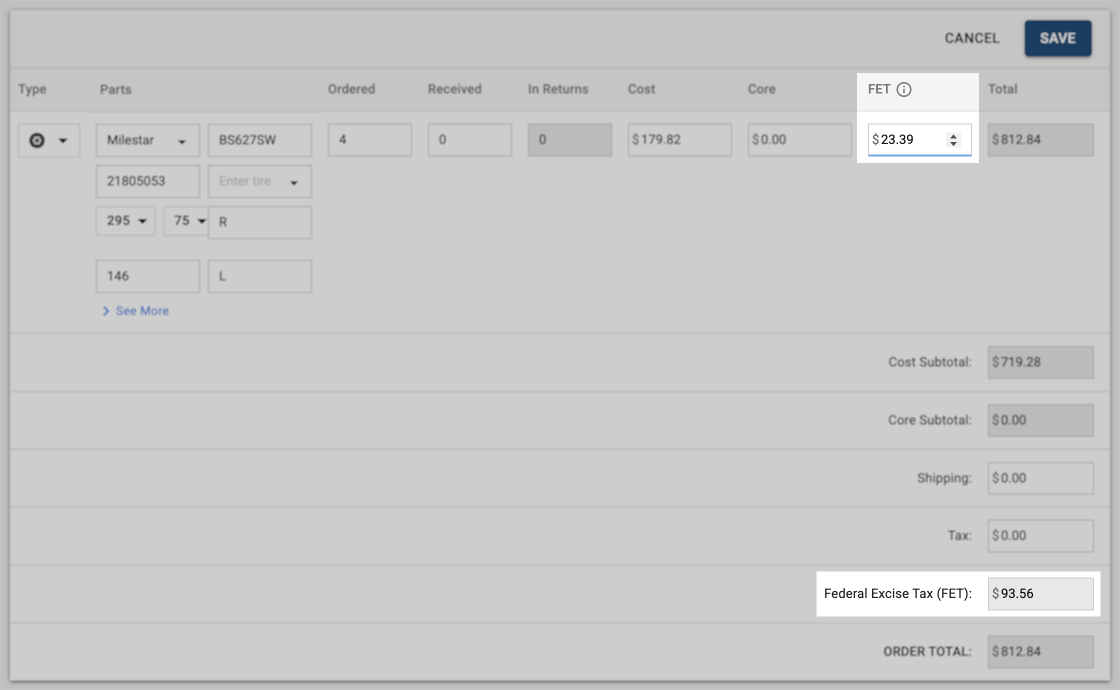
As you enter the FET value for each tire, the value will be shown in the summary at the bottom of this table. In this example, the FET value of $23.39 per tire was multiplied by four tires, resulting in a total FET of $93.56. Click "Save" to save your changes.
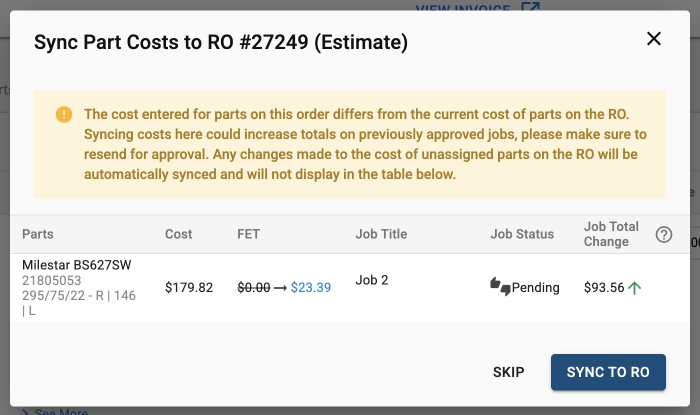
If the tires on this order are already on a Repair Order, you'll be prompted to sync the update with the Repair Order so that both the Orders page and the Repair Order reflect the FET value and updated total cost.
Reviewing Federal Excise Tax (FET) on a Repair Order
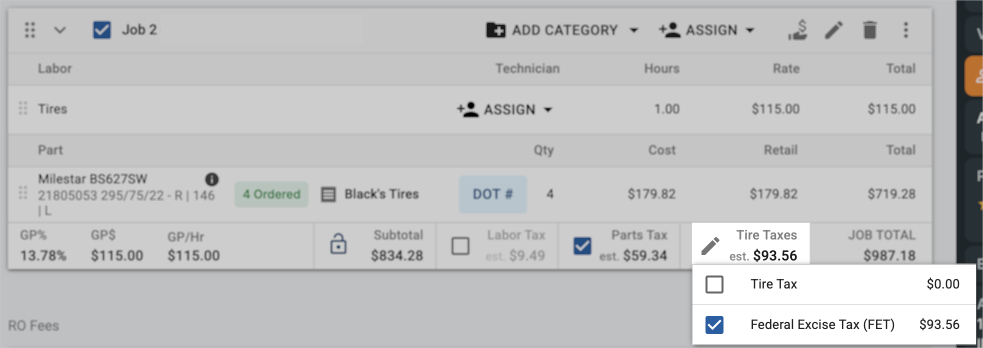
When reviewing the Repair Order, selecting the Edit pencil next to "Tire Taxes" will show the Tire Tax and Federal Excise Tax (FET) separately. If you need to remove the FET value from this job, you can toggle the checkbox on or off and the total cost will be recalculated accordingly.
Presenting Federal Excise Tax (FET) to your Customers
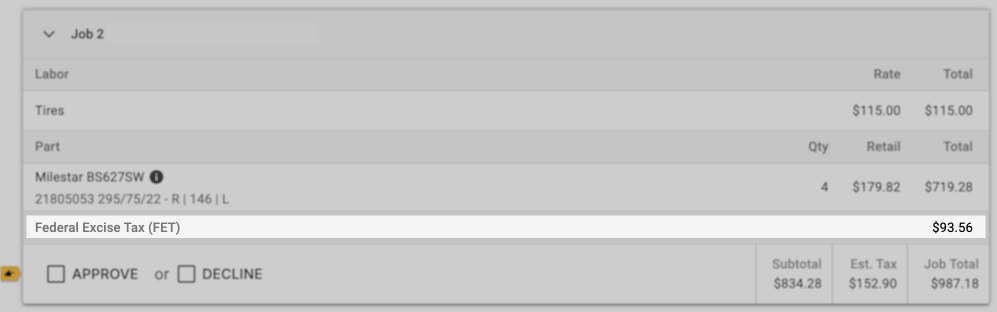
When sharing both Estimates and Invoices with your customers, you'll notice that the FET value is shown separately from other taxes.
FAQs About FETs
Q: Are FETs automatically pulled over from PartsTech?
A: Yes, FETs will will atomically be added to the purchase order. This is based on each specific.