Setting up to work with the Worldpac catalog on Tekmetric involves obtaining your Worldpac speedDIAL 2.0 credentials and connecting your account through a series of specific steps in both platforms. This guide will walk you through the necessary steps to link your Worldpac account to Tekmetric and enable seamless parts ordering and integration.
Step 1: Confirm Your Access to speedDIAL 2.0
If you already have access to speedDIAL 2.0, proceed to Step 2. If not, follow these steps:
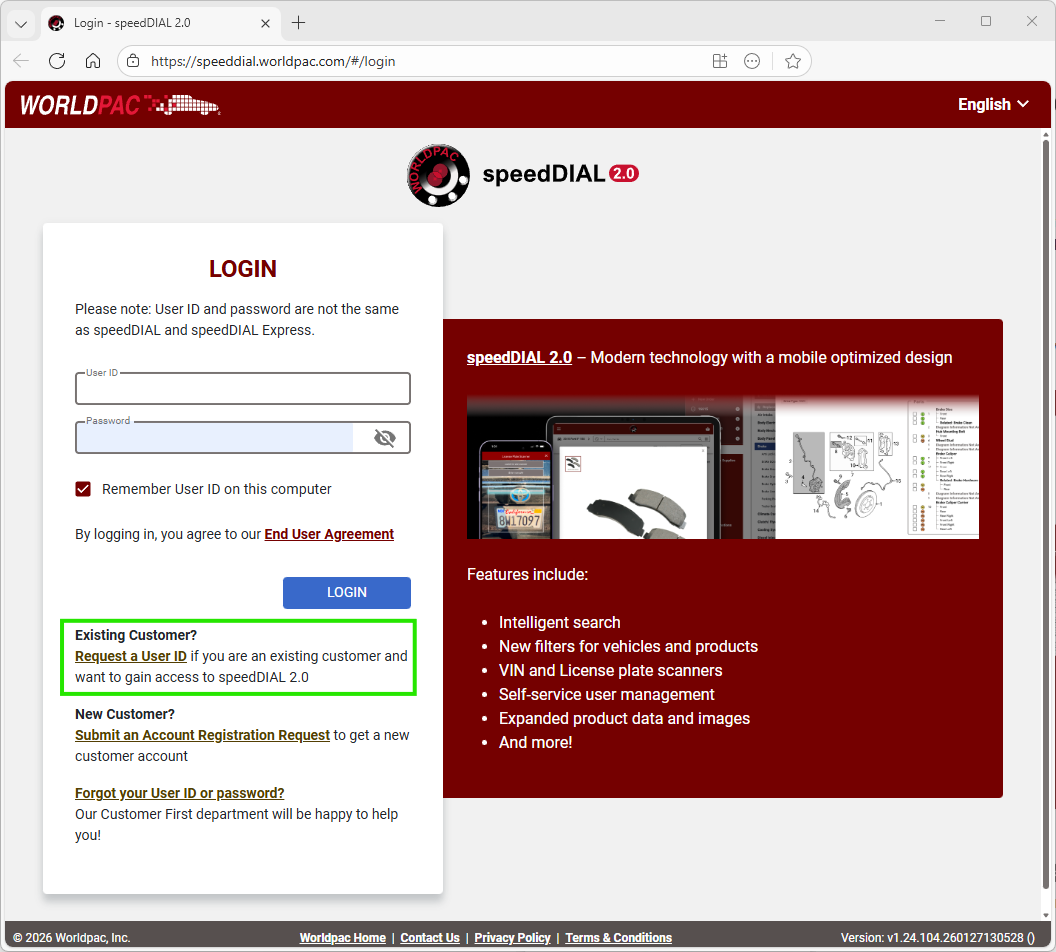
- Go to https://speeddial.worldpac.com/#/login
-
Click on the Request a User ID link to request a speedDIAL 2.0 User ID
Step 2: Gather Your Worldpac Account Information
To set up Worldpac on Tekmetric, you'll need:
- Your speedDIAL User ID
- Your speedDIAL Account Number
- Your speedDIAL API Token
To locate the necessary information and generate a speedDIAL Token, perform the following:
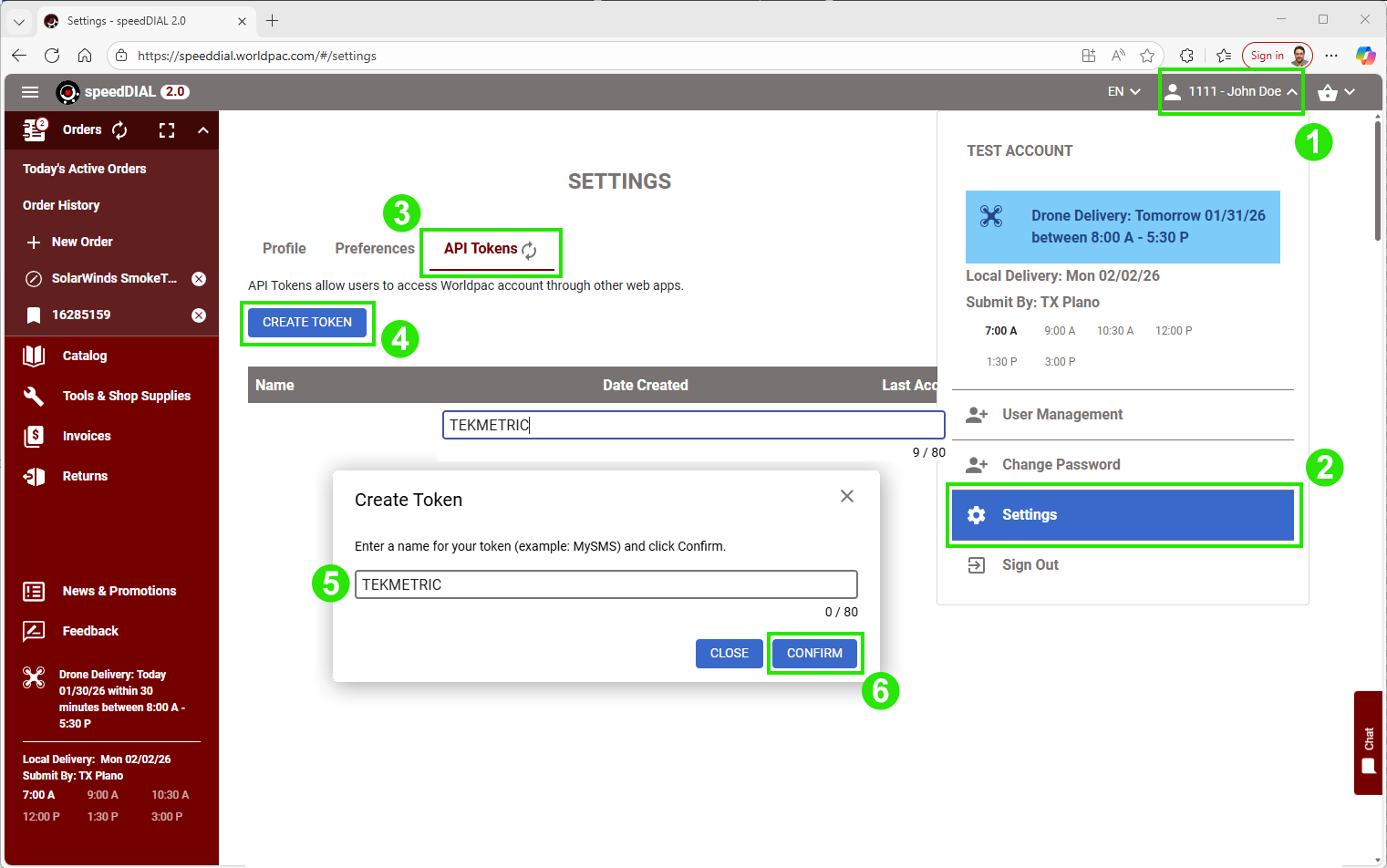
- Click on your Account# | User Name
- Click on Settings
-
Click on the API Tokens tab
Note: If you don't have access to create API tokens, you may reach out to Worldpac Support at: 1-855-878-8750.
- Click on CREATE TOKEN
-
Enter a descriptive name for your token and click CONFIRM
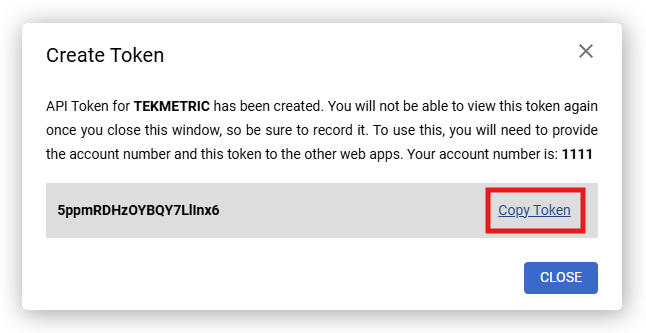
- Click Copy Token and save the token securely. You will not have access to the token once you click close.
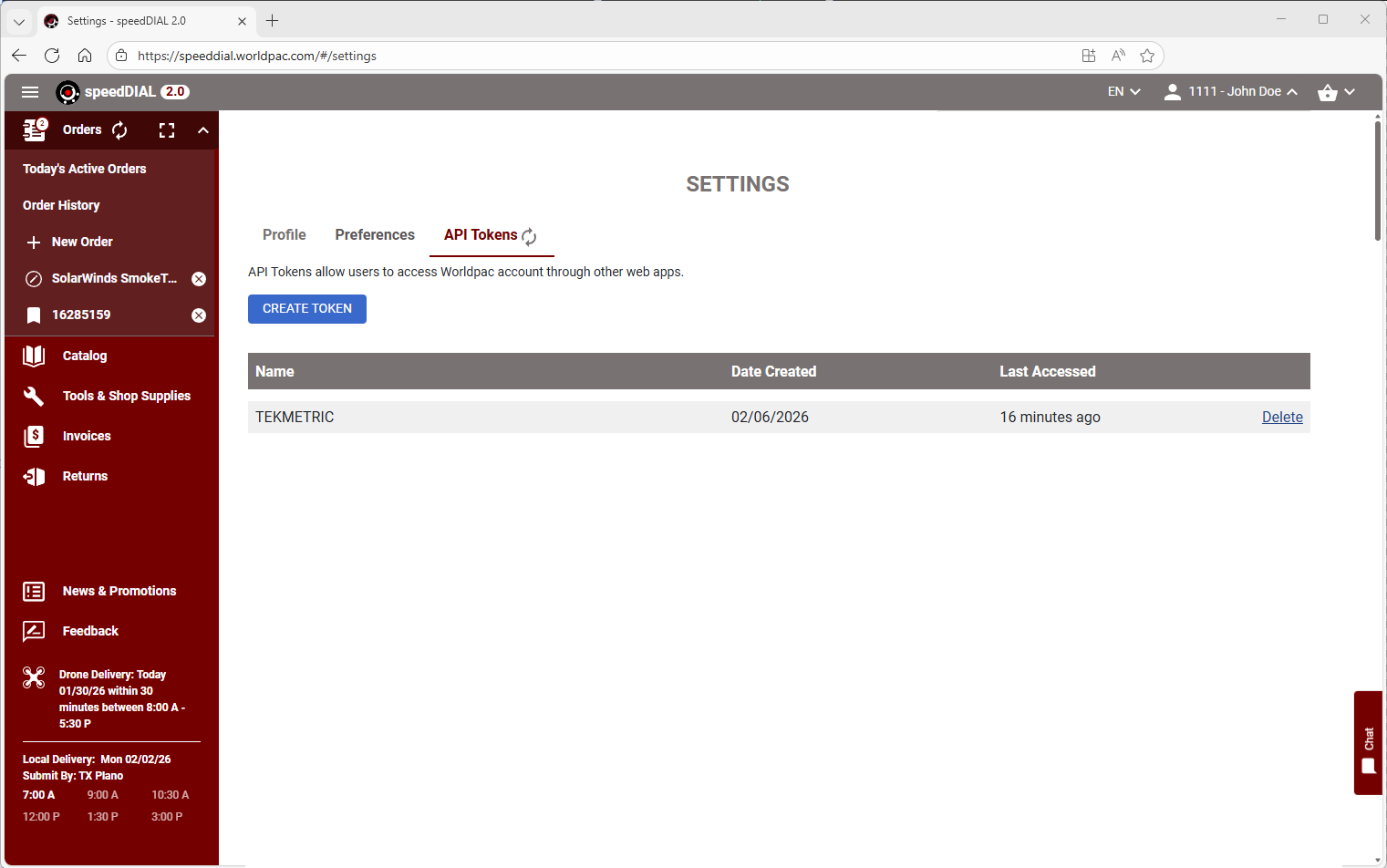
Tokens created are listed in the SETTINGS page. Deleting a token will disable the connection with the associated vendor / software.
If you don't have a WORLDPAC account, create one at www.worldpac.com/acctapp/ or call 800-888-9982 ext 5470.
Step 3: Enter Your Worldpac Credentials in Tekmetric
Now that you have your speedDIAL 2.0 credentials and API token, you’re ready to connect Worldpac inside Tekmetric.
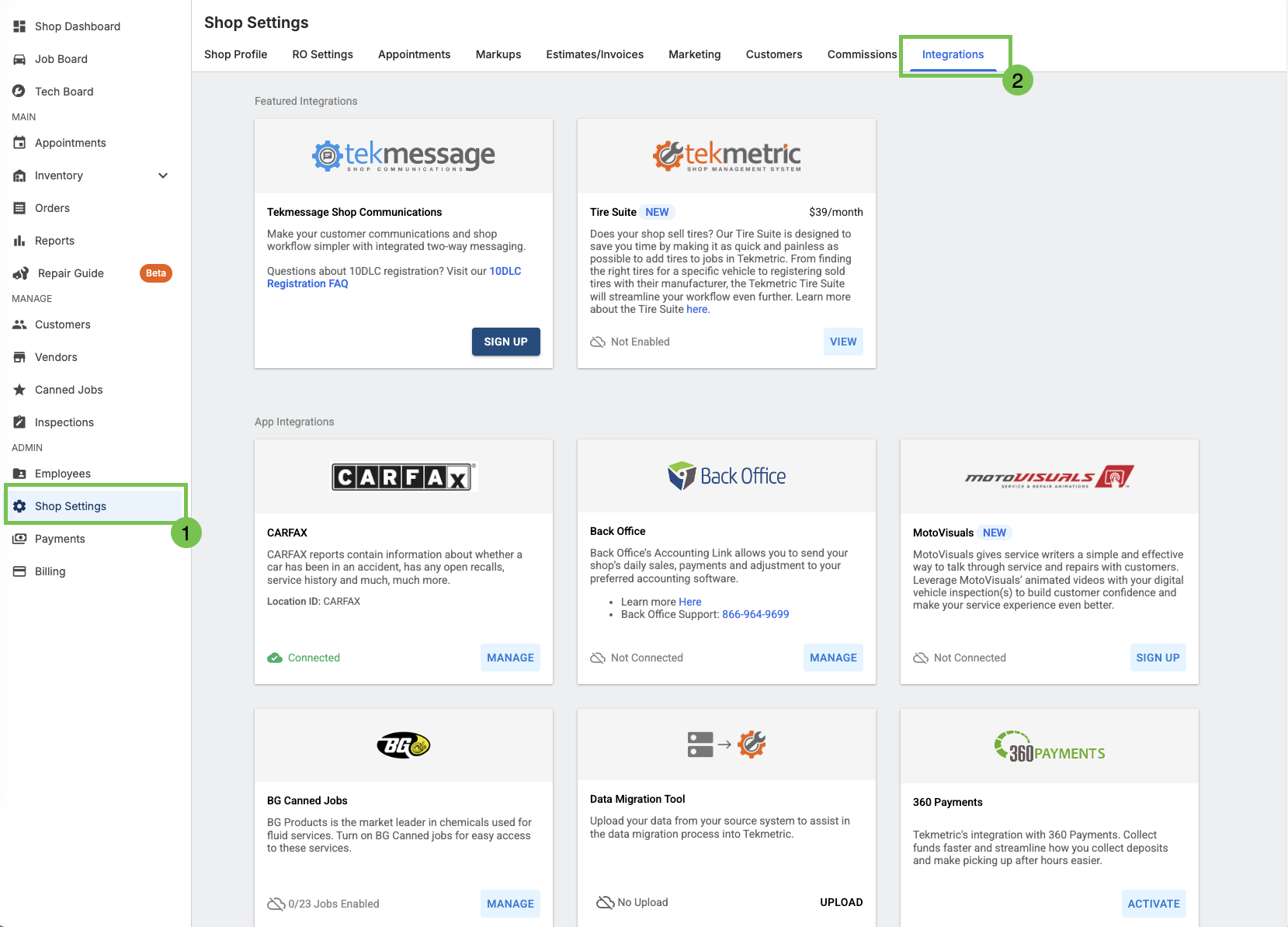
In Tekmetric, navigate to Shop Settings -> Integrations.
Click on the Shop Settings menu item.
Select Integrations.
Locate Worldpac in the list.
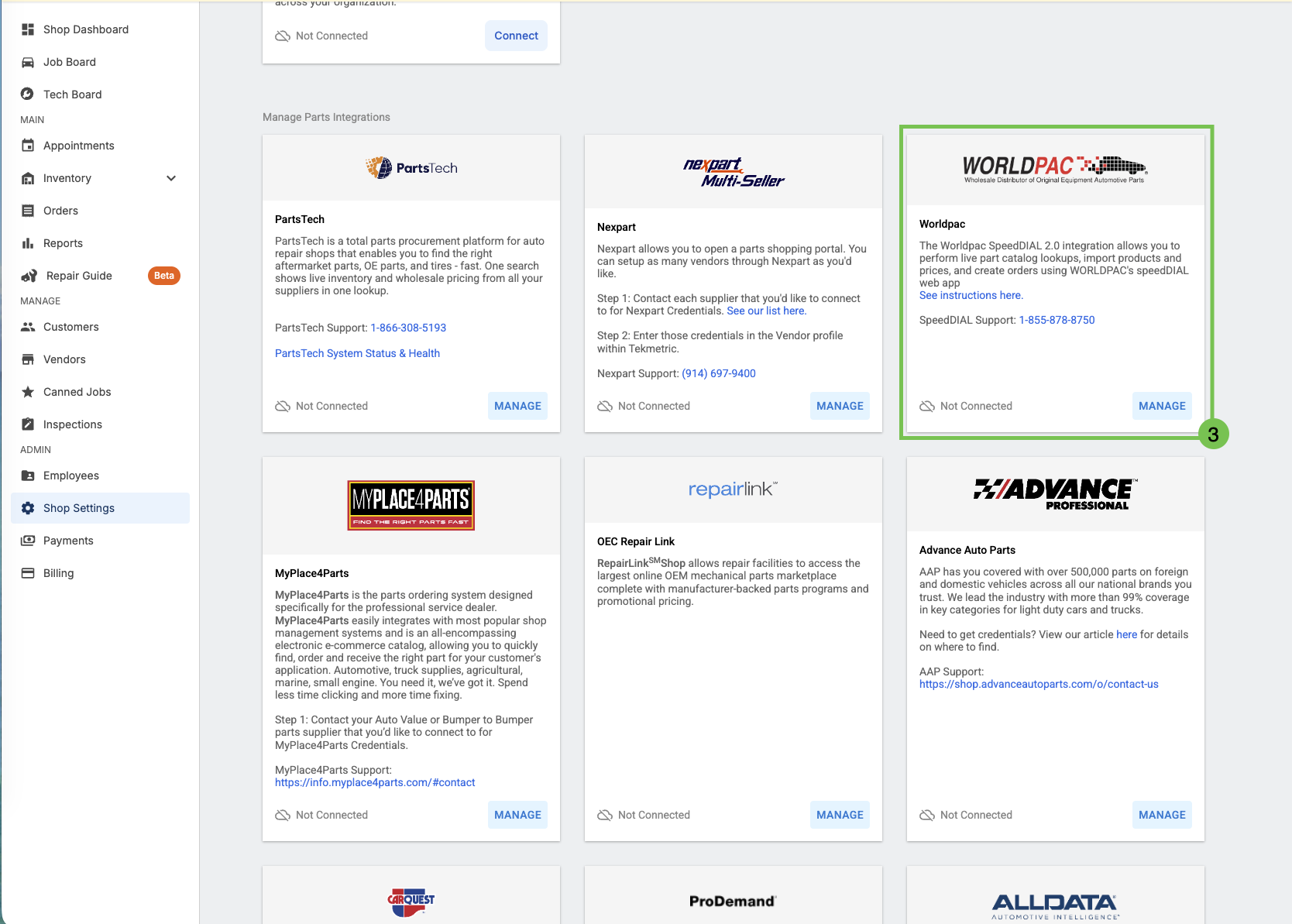
Enter the Following Credentials
Click on the Manage button and enter the following:
Username → Your speedDIAL 2.0 User ID
Account Number → Your Worldpac Account Number
Access Token → The token you generated in Step 2
⚠️ Important:
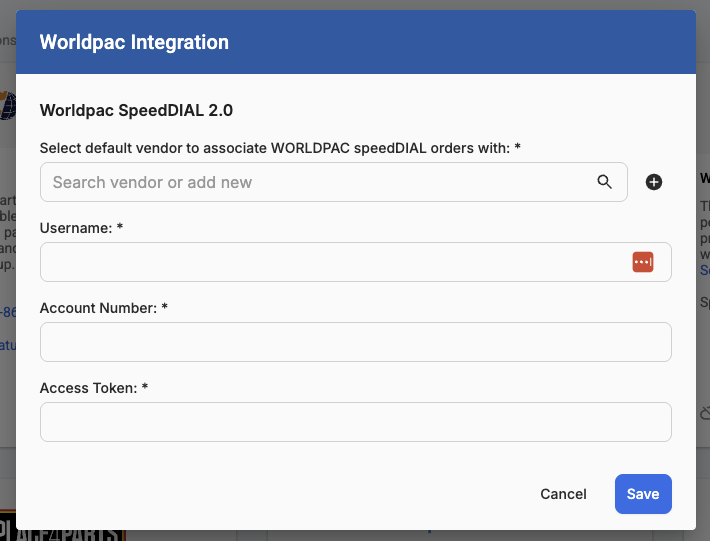
After your credentials are entered, click the Save button.