Instruct the Customer to Reply to the Text Line
To ensure compliance at the carrier network level for mobile phones, the customer must initiate the electronic opt-out.
Ask the customer to open their phone's messaging application and find the text thread from your shop.
Have them reply to the number with the word STOP.
The carrier network will instantly block any outward automated text messages sent from your TMS portal to that number.
Update the Core Customer Profile Page
Once the text line is secured, you must manually mark their profile card to stop email and alternative campaign builders from scraping their account details.
Log into your Tekmetric dashboard.
In the left navigation menu, click Customers.
Use the global search bar to locate the customer by typing their name or phone number.
Click on the customer's name to open their main profile folder.
Look at the top right of the screen or near the contact information section and click the Edit button (represented by a pencil icon).
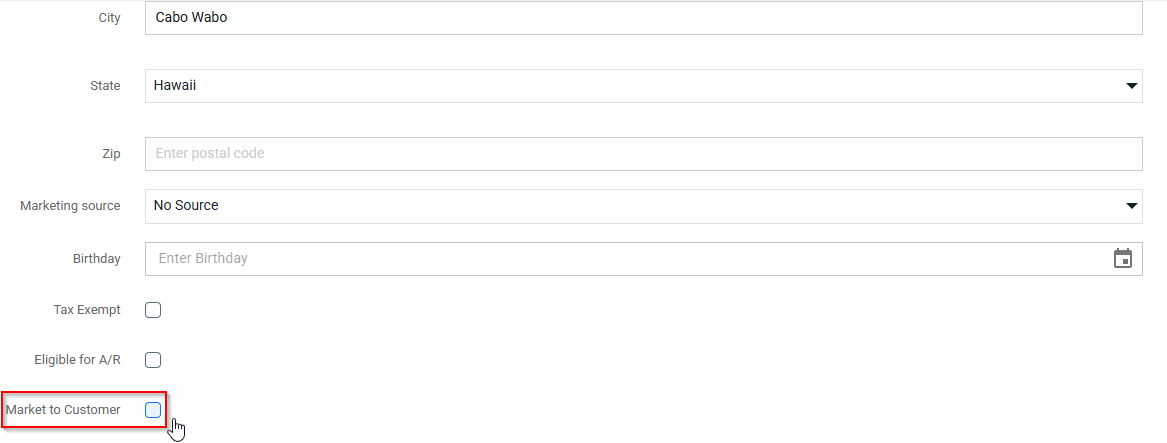
Locate the field labeled Market to Customer.
Click the dropdown selection or toggle and change it to No.
Click Save at the bottom of the form window to update the record database