Controlling Who Can Pay Remotely with Text-to-Pay
Text-to-Pay makes it easy for customers to pay from anywhere — but sometimes a shop needs to restrict that option for specific customers. The Text-to-Pay Eligibility Control lets Shop Owners and Admins mark individual customers as eligible or ineligible for remote payment, without changing anything about the repair order workflow.
Is this available at my shop?
Yes, this feature is now available to all shops on Tekmetric Payments powered by Stripe.
Who can change a customer's eligibility?
| Role | Can View Eligibility Status | Can Change Eligibility Status |
|---|
| Shop Owner | ✅ Yes | ✅ Yes |
| Admin | ✅ Yes | ✅ Yes |
| Service Advisor | ✅ Yes | ⚠️ Only if granted by Owner/Admin |
By default, only Shop Owners and Admins can update eligibility. If you'd like a Service Advisor to be able to make changes too, a Shop Owner or Admin can enable that permission individually in the staff member's employee settings. It can be turned on or off at any time.
How to change a customer's eligibility
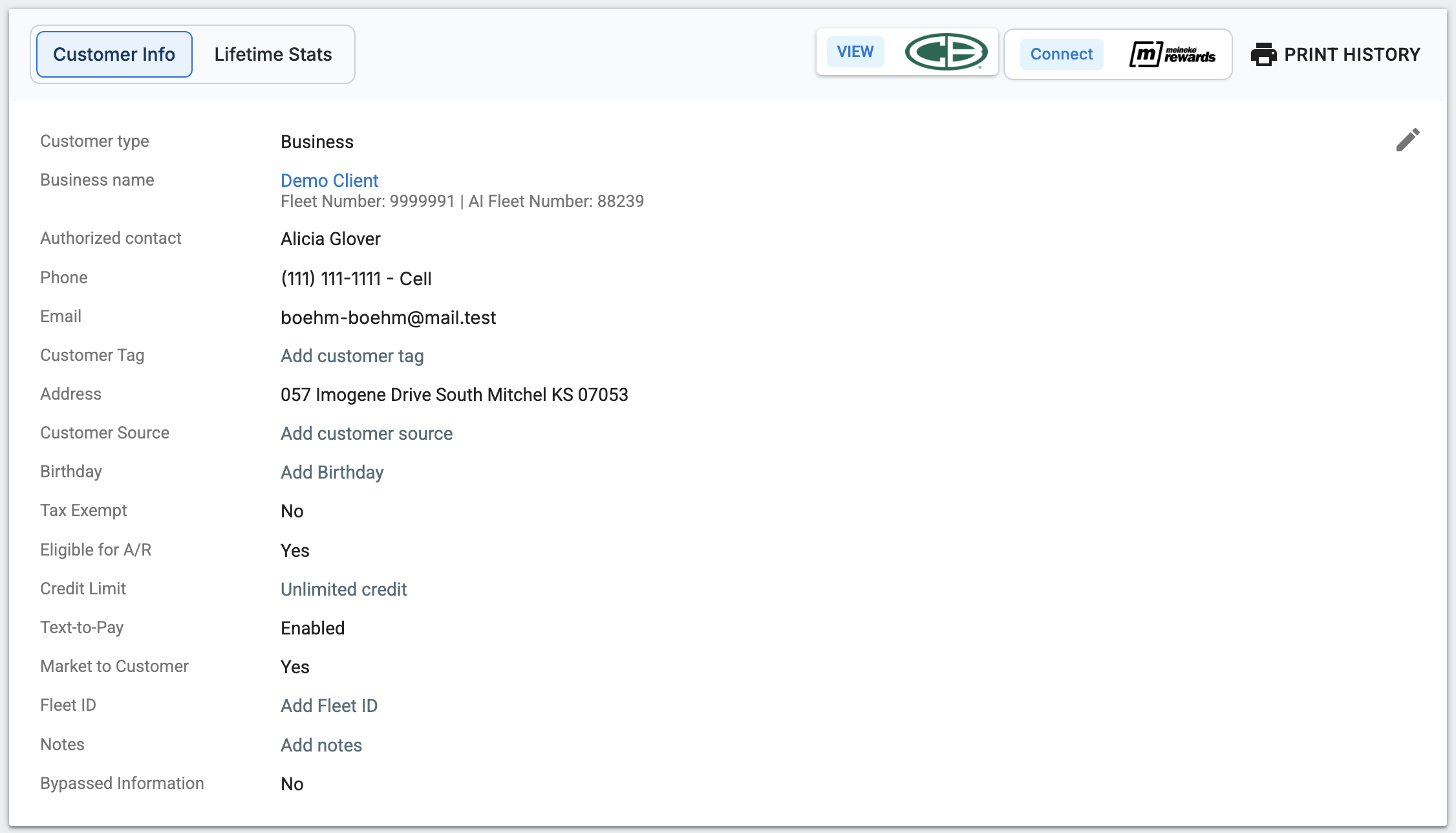
- Go to the customer's Customer Profile.
- Find the Text-to-Pay Eligibility field.
- Select Eligible or Ineligible.
- The change takes effect immediately — you'll see a confirmation on screen.
All existing and new customers are set to Eligible by default. You only need to make a change if you want to restrict a specific customer.

What happens when a customer is marked Ineligible?
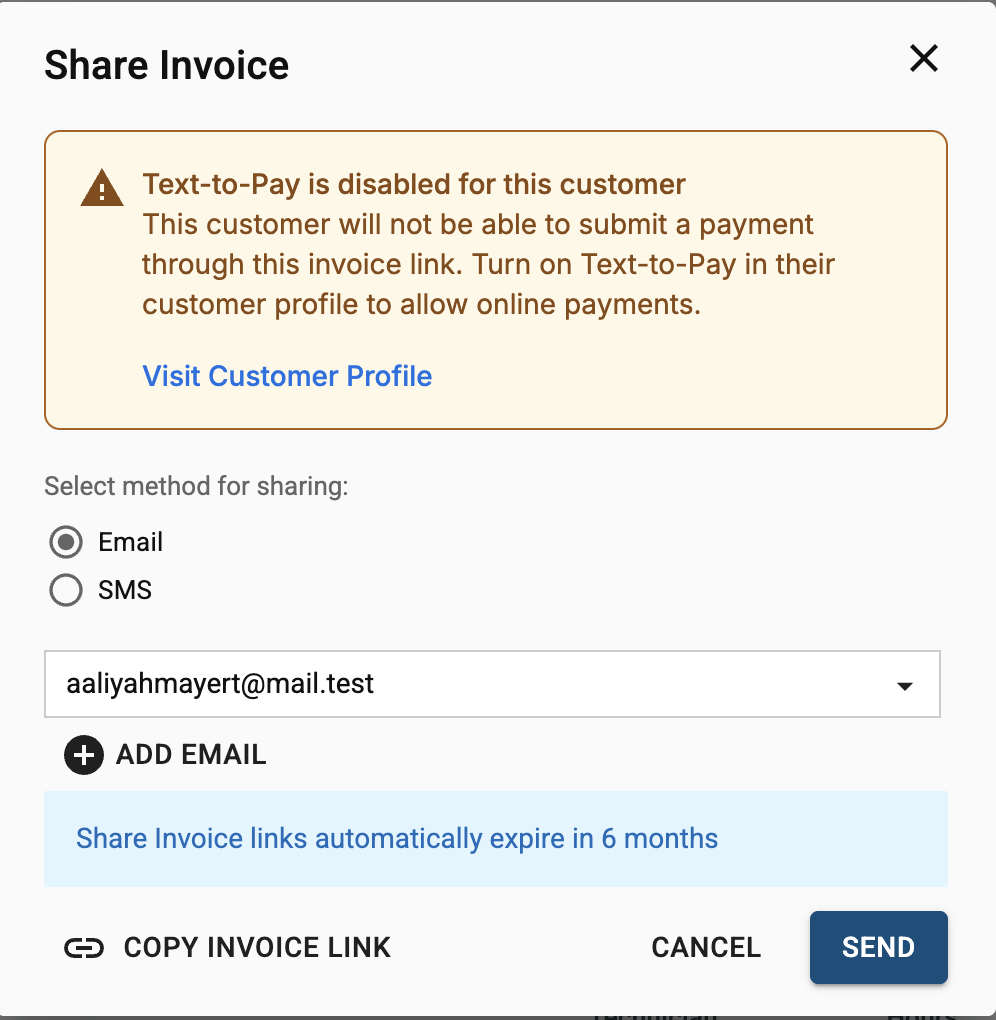
For your staff: When a Service Advisor tries to send a T2P link to an ineligible customer, they'll see a message letting them know the customer won't be able to pay through the link. The link can still be sent — but the payment button will be hidden on the customer's end. Advisors without permission can't override this; they'll need to check with a Shop Owner or Admin.
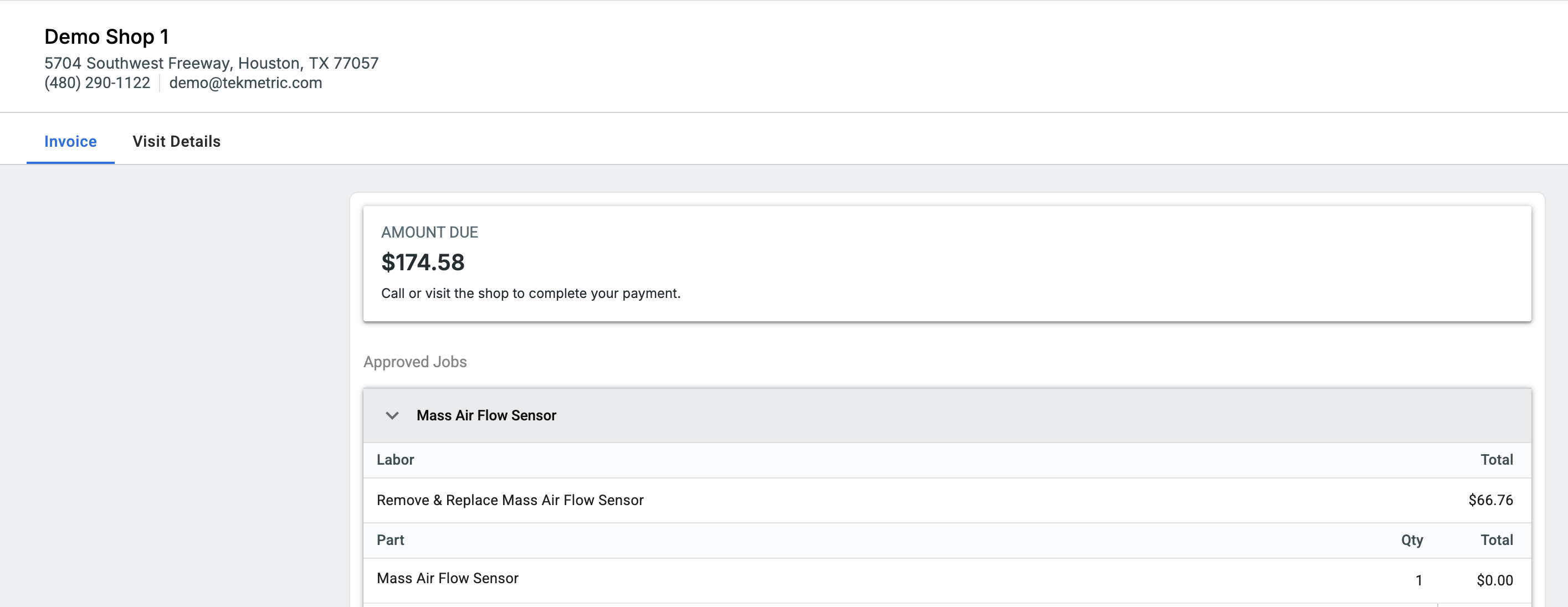
For the customer: If the customer opens the invoice link, they'll see a message that says "Call or visit the shop to complete your payment." They won't see a payment button.
Common questions
The Make Payment button is missing on the invoice — is something broken? Not necessarily. If the customer has been marked Ineligible, this is expected. A Shop Owner or Admin can update their eligibility from the Customer Profile if needed.
How do I re-enable Text-to-Pay for a customer? A Shop Owner, Admin, or Service Advisor with granted permissions can go to the Customer Profile and toggle eligibility back to Eligible. The change is immediate.
A Service Advisor says they can't send a T2P link — what should they do? The customer is likely marked Ineligible. They should check with a Shop Owner or Admin to review and update the customer's eligibility, or ask to be granted permission to manage it themselves.