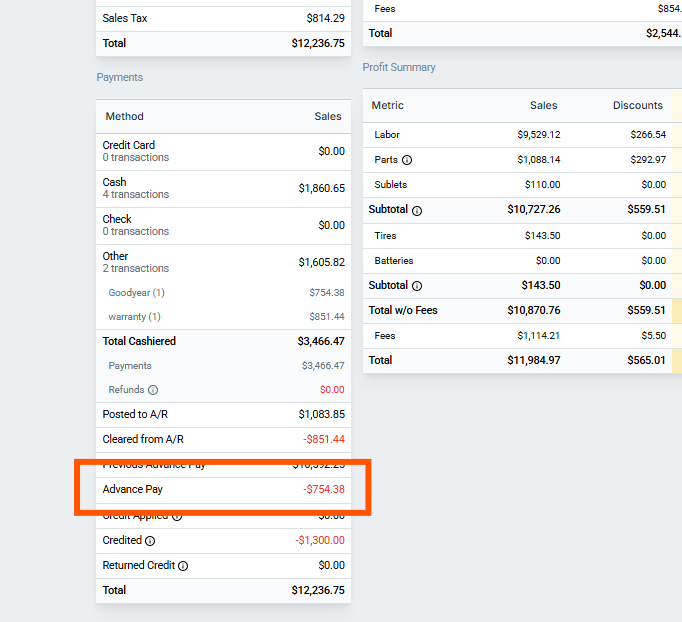
The End of Day (EOD) report provides an "Advance Pay" summary line, which is used to adjust today’s cash flow by subtracting deposits collected today that are on Repair Orders (ROs) that are still not posted. Because this is strictly a summary adjustment, the EOD report does not provide a separate, click-through "list of ROs" directly tied to this line item.
Important Note: The Advance Pay line is an active/live status of dollar amounts, not a snapshot of what ROs were part of the Advance Pay line back in time.
To find the actual ROs tied to those advance payments, you cannot rely on the EOD report alone. Instead, you need to use a combination of the Payment Details Report and the Hacker Tracker Report to cross-examine the data.
Recommended Workflow: Cross-Referencing Reports
To accurately identify which specific repair orders make up your Advance Pay total, follow these steps to compare your reports:
Check the EOD Report: Go to the EOD Report. Note your selected timeframe and the exact amount on the Advance Pay line.
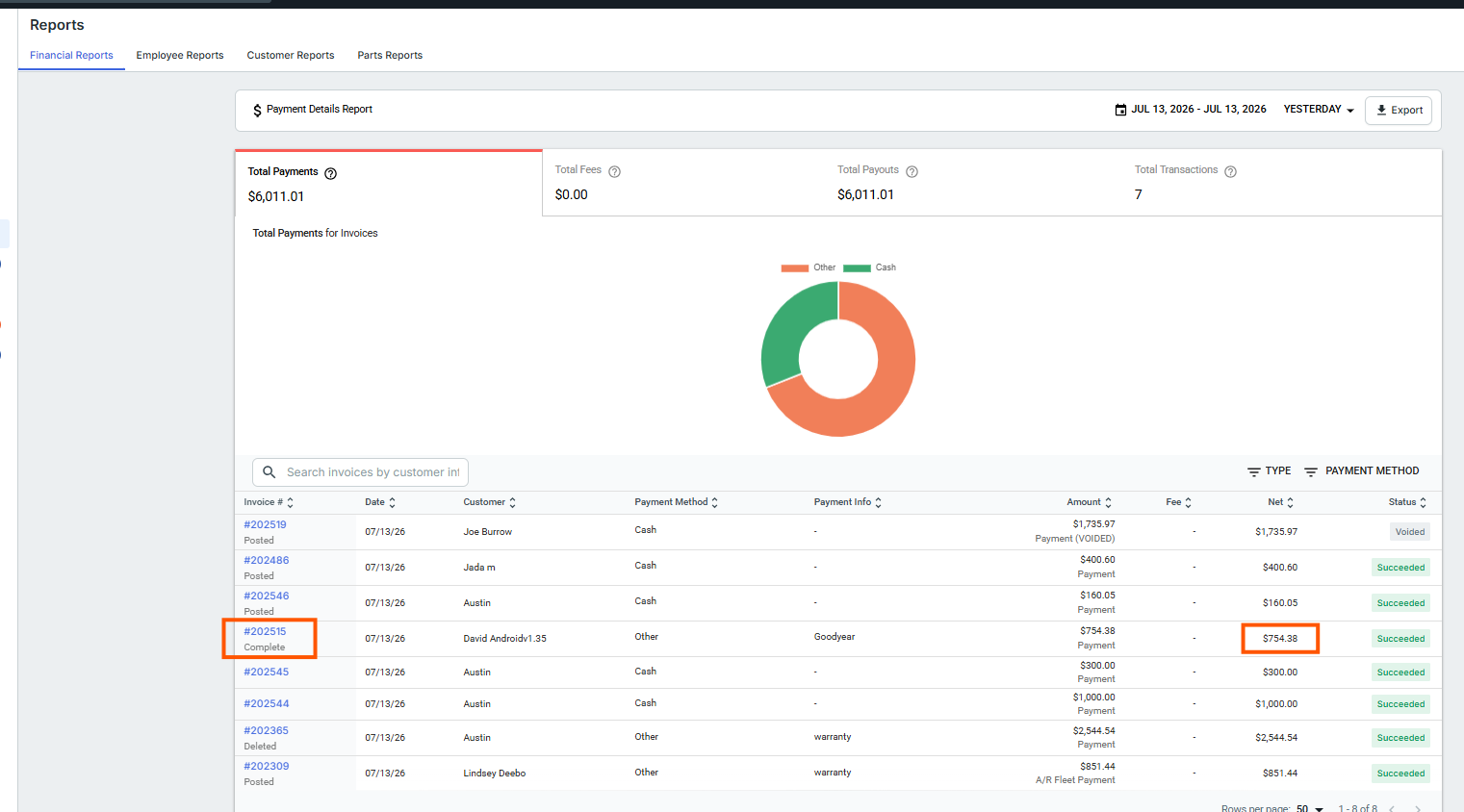
Pull the Payment Details Report: Navigate to the Payment Details Report. Match the timeframe exactly as it was on the EOD report, but ensure the ending date is set to today's date.
Identify Potential ROs: Review the Payment Details Report. Look closely at the RO numbers and note if any lines show a status of "Completed" or any other status besides "Posted" directly underneath the RO number. These specific ROs will most likely make up your Advance Pay RO list.
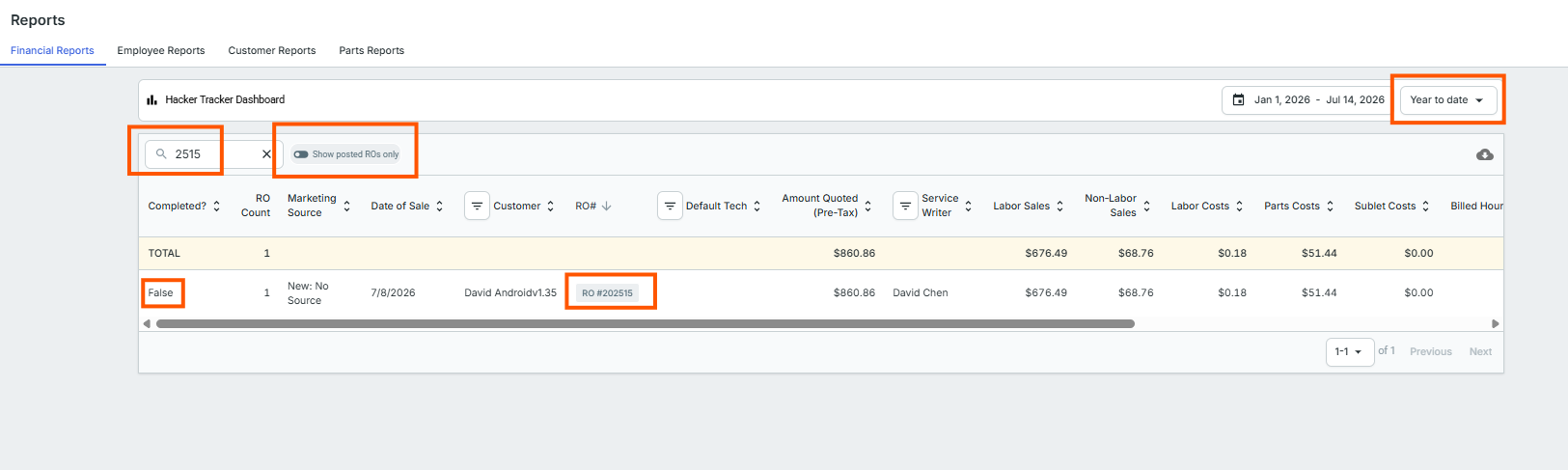
Pull the Hacker Tracker Report: Go to the Hacker Tracker Report. Set the Date Range to "All Time/YTD". At the very top of the report, toggle OFF the "Show posted ROs Only" option.
Cross-Examine the Data: Using the mini white search bar on the Hacker Tracker report, search for each RO number you identified from the Payment Details report. If the RO number shows up on both reports, add it to your official Advance Pay RO list.
Verify the Total: Add up the payment amounts for the ROs on your newly created list (using the amounts shown on the Payment Details report). Your calculated total will perfectly equal the "Advance Pay" line total on the EOD Report.