What is Quick Quote?
Tire Quick Quote is a fast, standalone tire-pricing flow built for phone calls and walk-in price shoppers. It lets your service advisors search for tires, compare options, and give customers an accurate out-the-door price — without creating a customer record, vehicle record, or repair order first.
All your advisor needs to get started is a tire size.
When a customer approves the quote, one action converts it into a full repair order with all tire job data already filled in — no re-entry required. If the customer isn't ready to book, the quote discards cleanly without affecting your shop's metrics.
Note: Tire Quick Quote is available to shops on the Tire Suite add-on.
Why is Quick Quote important?
Phone and walk-in price shoppers are some of the highest-intent customers a tire shop sees. They've already decided they need tires — they just want a price. Quick Quote makes it possible to handle that conversation entirely inside Tekmetric, without workarounds.
-
Stay in your system of record. No more quoting tires in a third-party tool and manually re-entering data when the customer books.
-
Quote before you know who the customer is. Start with just a tire size. Add customer and vehicle details later, when the customer is ready to commit.
-
Zero re-entry when the job is booked. All tire data from the quote carries directly into the repair order.
-
Keep your metrics clean. Declined quotes discard without creating phantom customers, vehicles, or open ROs in your system.
How to Access Quick Quote
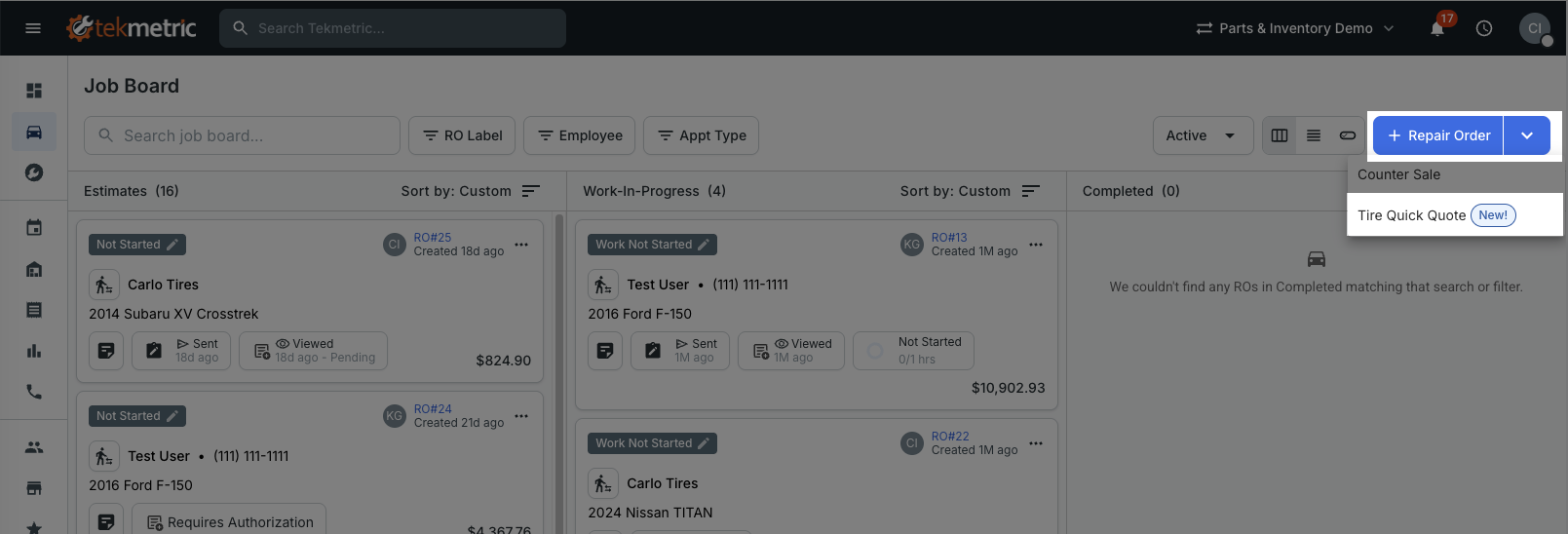
Quick Quote is available from the Invoice screen. Select the split button next to the new RO action, then choose Tire Quick Quote from the dropdown.
Starting a Quote
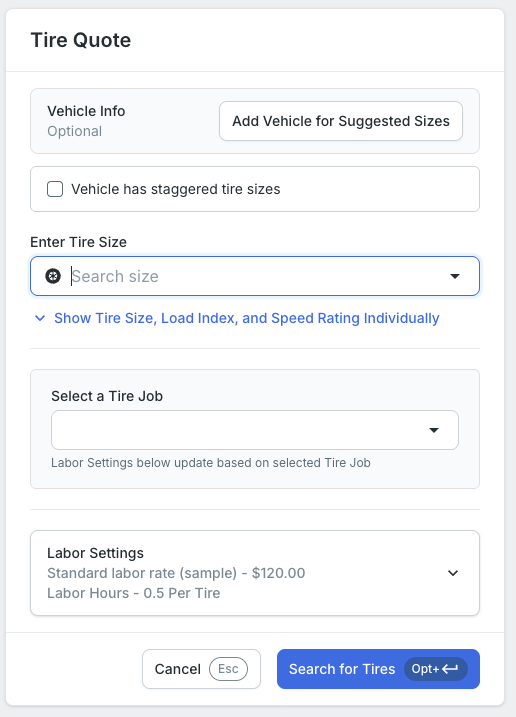
You can start a Tire Quick Quote with just a tire size — enter it in the search field and you're ready to go.
If your customer doesn't know their tire size, no problem. You can look up fitment by license plate, VIN, or year, make, and model — whichever is easiest to get from the caller.
Browsing and Comparing Tires
Search results are powered by PartsTech and pull from your shop's already-configured suppliers. No additional setup is required — if you're already using PartsTech, you're ready.
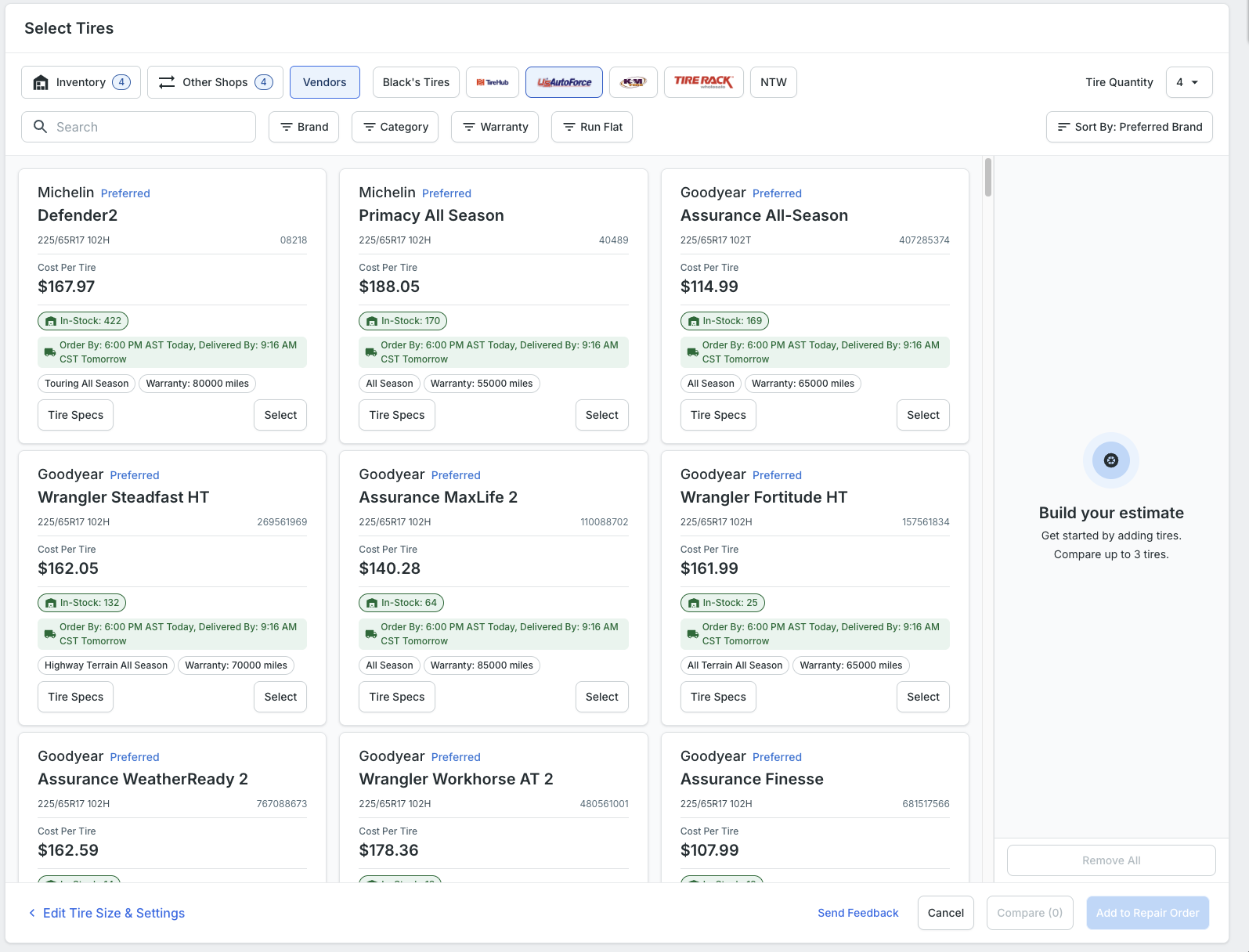
Quick Quote covers tire jobs only — non-tire parts and general repair jobs are not included. If you've configured a Smart Tire Job — a pre-built canned job for tire installs — it's available here as well, making it easy to apply your standard tire labor in one step.
Setting up Tire Jobs
Converting to a Repair Order
When your customer is ready to move forward, select Merge into Repair Order. You'll be taken to the RO form to add customer and vehicle information if you haven't already — all tire job data carries forward automatically with no re-entry.
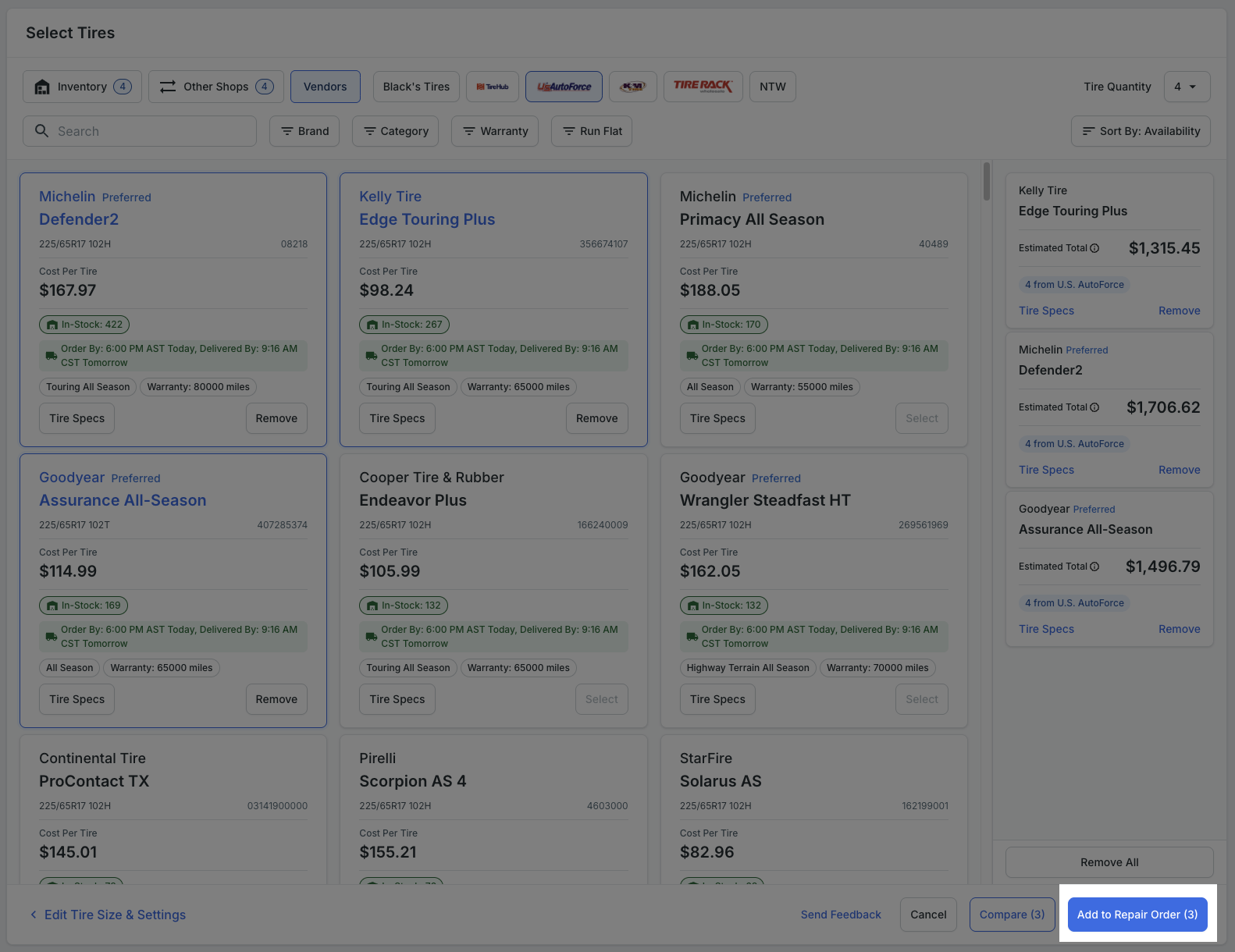
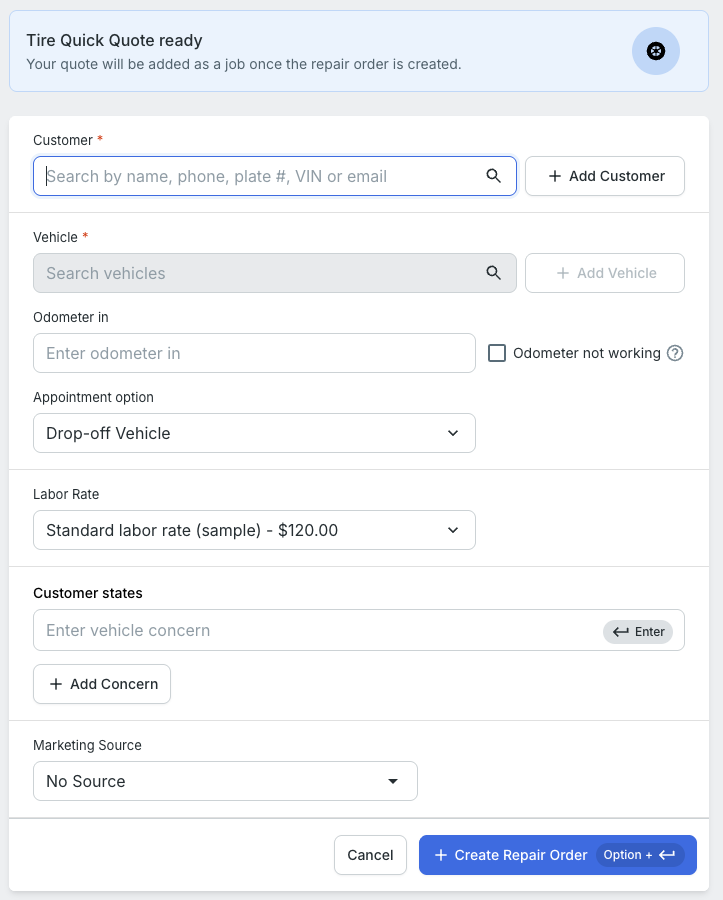
If the customer isn't ready, exit the quote. It discards cleanly with no impact on your shop's reports or open ROs.
FAQ
Q: Does the Estimated Total include other repair order-level fees and taxes?
No. The Quick Quote estimate reflects this tire job only. Any fees that apply at the repair order level are not included in this estimate.
Q: Can I save a Tire Quick Quote to come back to later?
No — Tire Quick Quote is session-based. Quotes either convert to a repair order or are discarded.
Q: What if my customer doesn't know their tire size?
You can look up fitment by license plate, VIN, or year/make/model. License plate lookup is typically the fastest path for phone calls.
Q: Can I email or text the quote to the customer?
Not directly from Quick Quote. Convert the quote to a repair order first, then use Tekmetric's standard customer communication tools from there.
Q: What tire suppliers are available in Quick Quote?
Quick Quote is powered by PartsTech. Whatever suppliers your shop has configured in your PartsTech integration are available — no additional setup needed.