Tekmetric Repair Guide puts OEM-verified and sourced repair information for your technicians all in one place. Instead of searching across multiple sites and manual vehicle lookups, technicians find what they need for a vehicle all from within the repair order, and get back to work.
You can access the Repair Guide in two places in Tekmetric: from the left navigation, or from within a repair order. Below is a quick how-to video explaining the ways you can use our repair guide.
Please note that European Makes are currently available. As our OEM partnerships are finalized and we receive license data from them, we will continue to add more vehicle Makes. Keep an eye out for additional Asian and American makes as well, and we will keep you updated.
Accessing the Repair Guide from the Left Navigation
- Select Repair Guide in the left navigation, and you will be prompted to select a vehicle.
- You can do this by entering a plate or VIN, or by using the Year, Make, and Model search.
- Vehicles you have recently looked up will also be available to select.
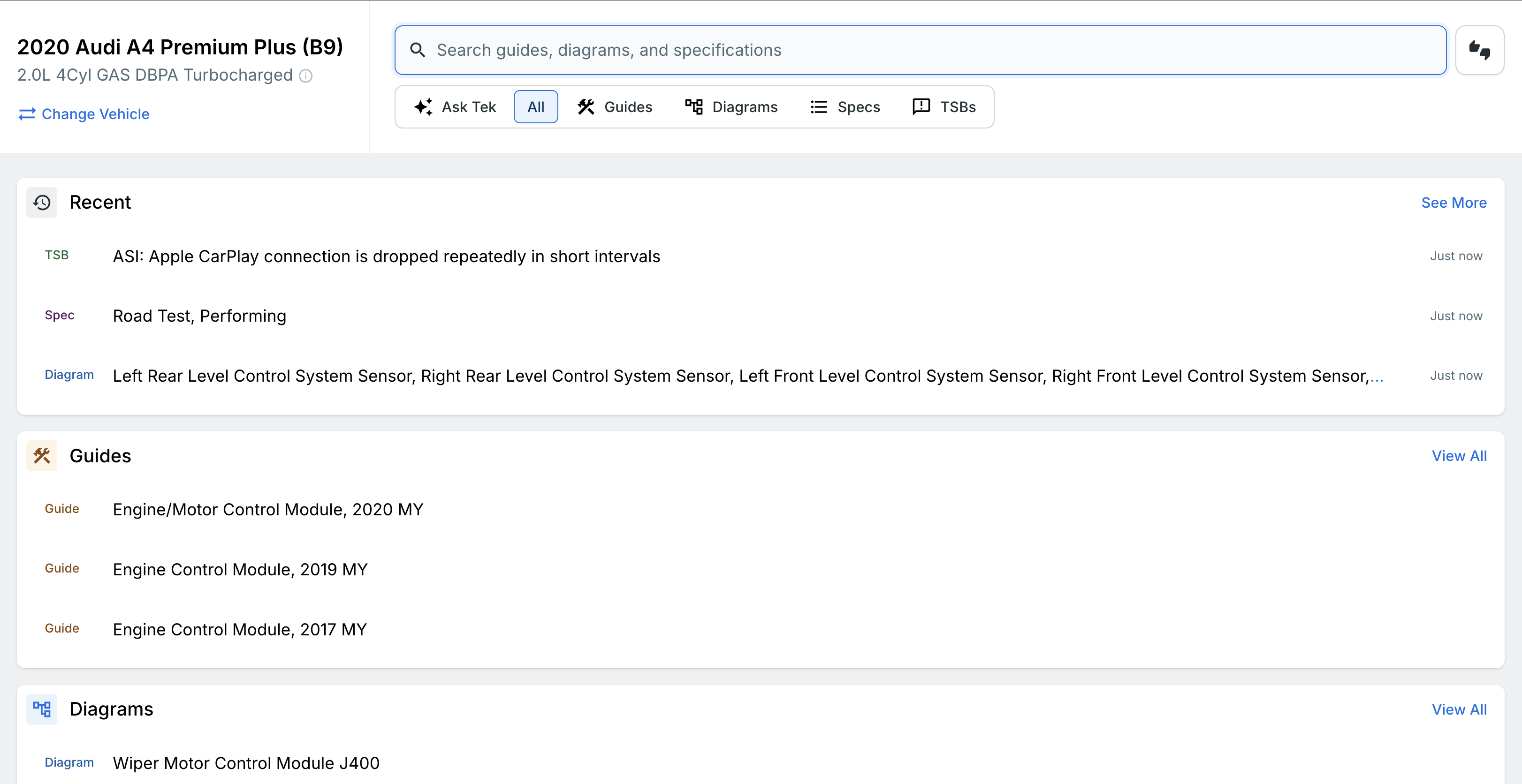
Once you select a vehicle, you will land on the Repair Guide home page. Here you will find the Guides, OEM Wiring Diagrams, Interactive Colored Wiring Diagrams, Specs, and TSBs available for that vehicle. You can use the search bar to search the Repair Guide, or Ask Tek in plain language what you're looking for.
Interactive Wiring Diagrams
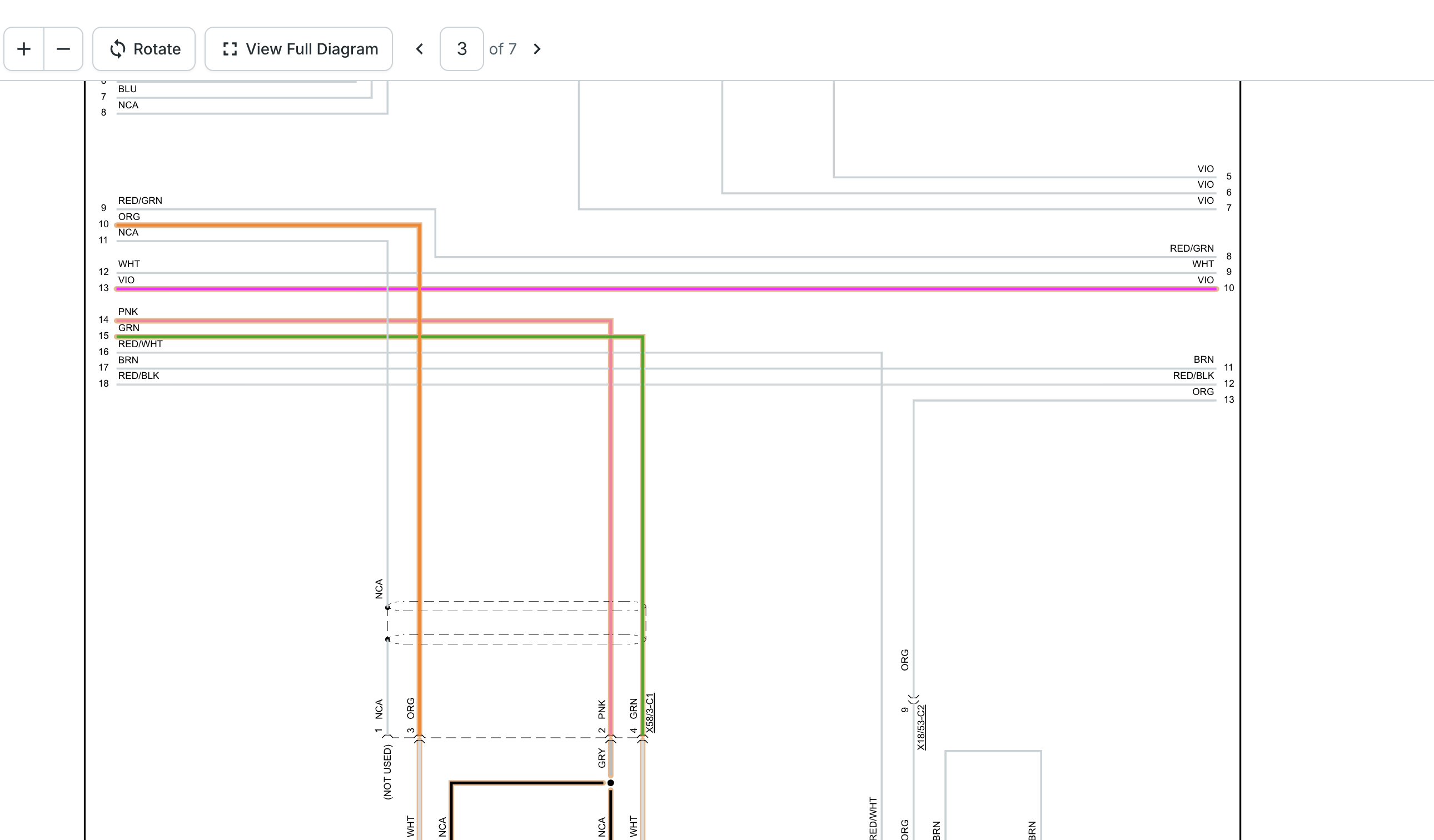
Tekmetric not only has OEM wiring diagrams, but also interactive colored (Non-OEM) wiring diagrams available. When you open one, you can:
- Zoom in and out to see the detail you need.
- Highlight specific wires. Once a wire is highlighted, we automatically hide everything that is not highlighted to help the technician focus. If you would rather not have this, you can turn it off.
- Search the diagram. For example, if you search "fuel," the diagram will take you to the section containing that word, such as the fuel injector cylinders.
Accessing the Repair Guide from a Repair Order
You can also open the Repair Guide from within a repair order. This is where the Repair Guide works as a thought partner for your technicians, helping them figure out where to start so they do not waste time.
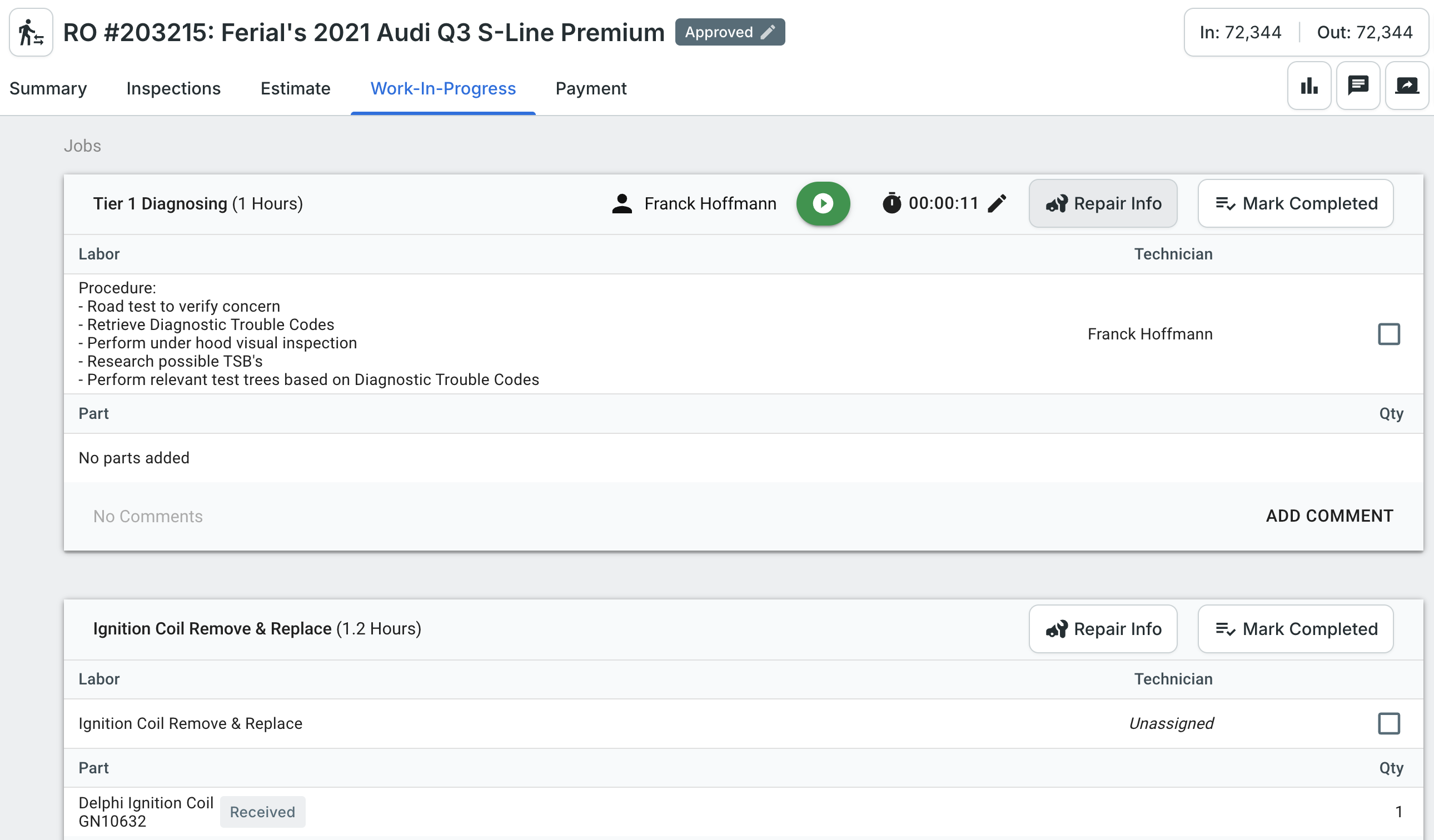
To get started, open the repair order and go to the Work in Progress tab. Technicians will see a Repair Info button on each job. Once they click it, we automatically pull in the vehicle information as well as the context of that job.
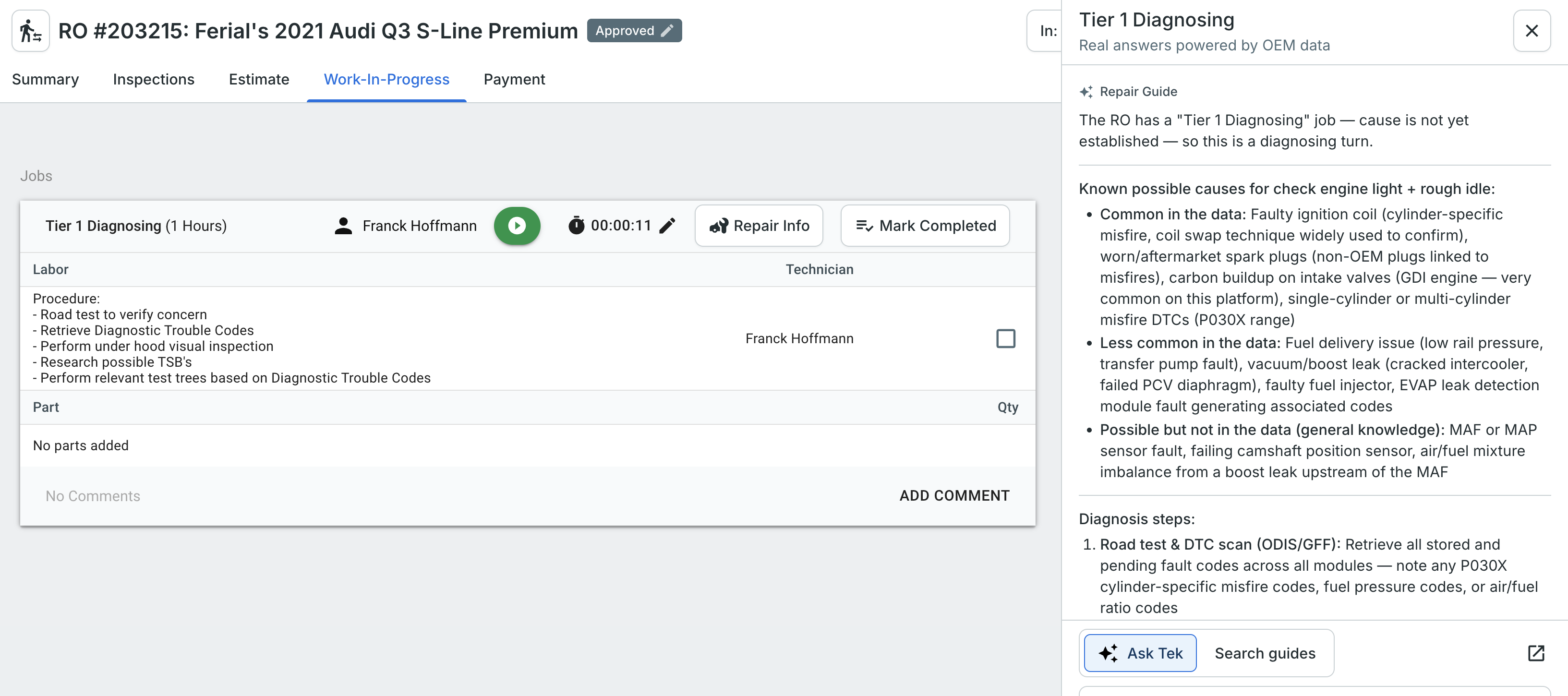
In the example below, the repair order is for a 2021 Audi Q3 with a diagnostic job and a spark plugs remove and replace job. The customer concern is "check engine light is on and running rough."
Common Causes for the Concern
When a technician selects Repair Info on a diagnostic job, we will pull the customer concern context to show common causes for that concern based on Tekmetric's real historical data (see screenshot below). This is to help give technicians as starting point when diagnosing a vehicle.
Labor Time Recommendations
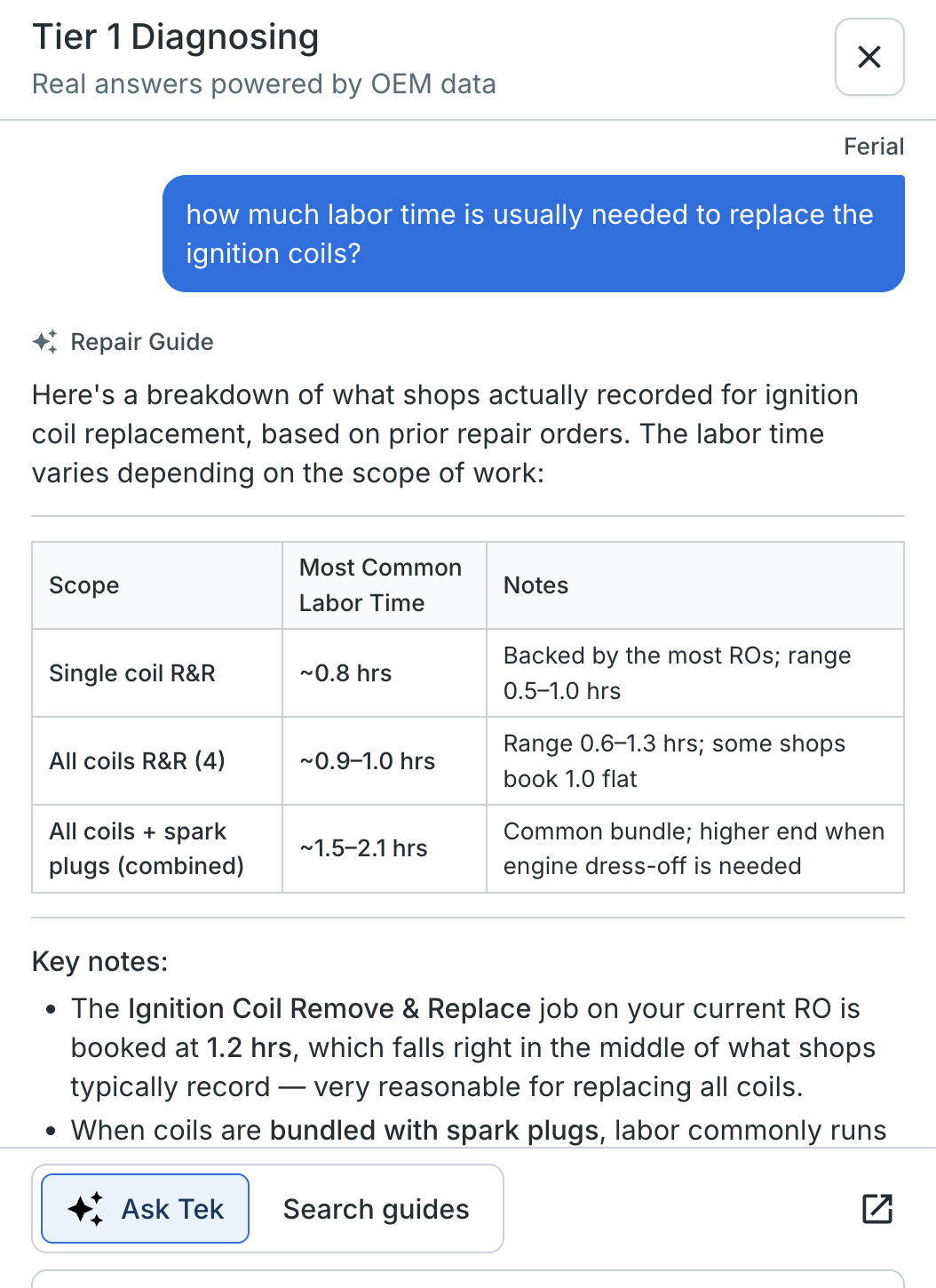
Once the technician has figured out the repair, such as a ignition coil issue, they can ask for labor times. We base our recommendations on real historical repair order data, not booked labor guide time.
Recommended Repair Information
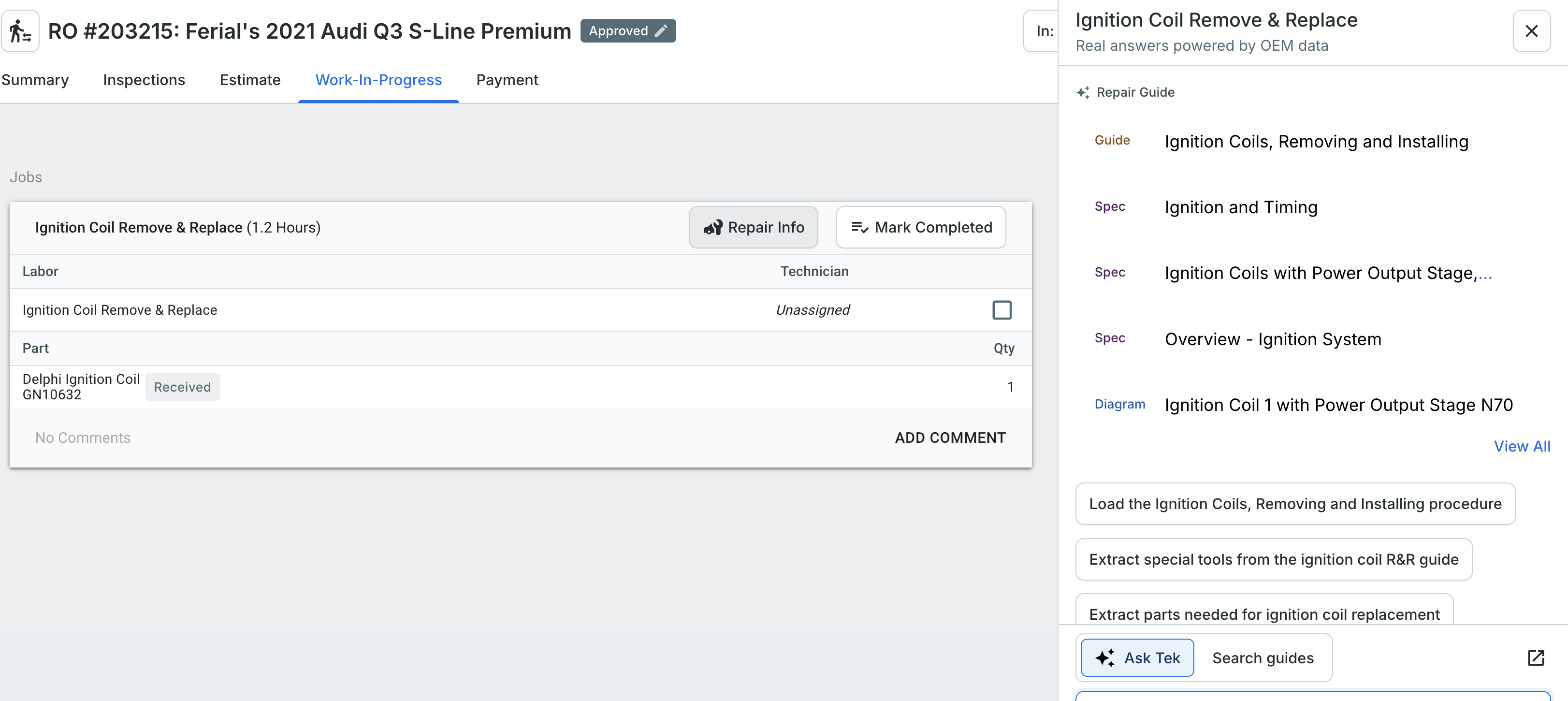
Technicians no longer have to search for the repair information they need. When they click Repair Info on a new job, such as R&R Ignition Coils, we pull in the job context and search on their behalf. We will automatically recommend the correct repair instructions and pages based on what we see the job is for.
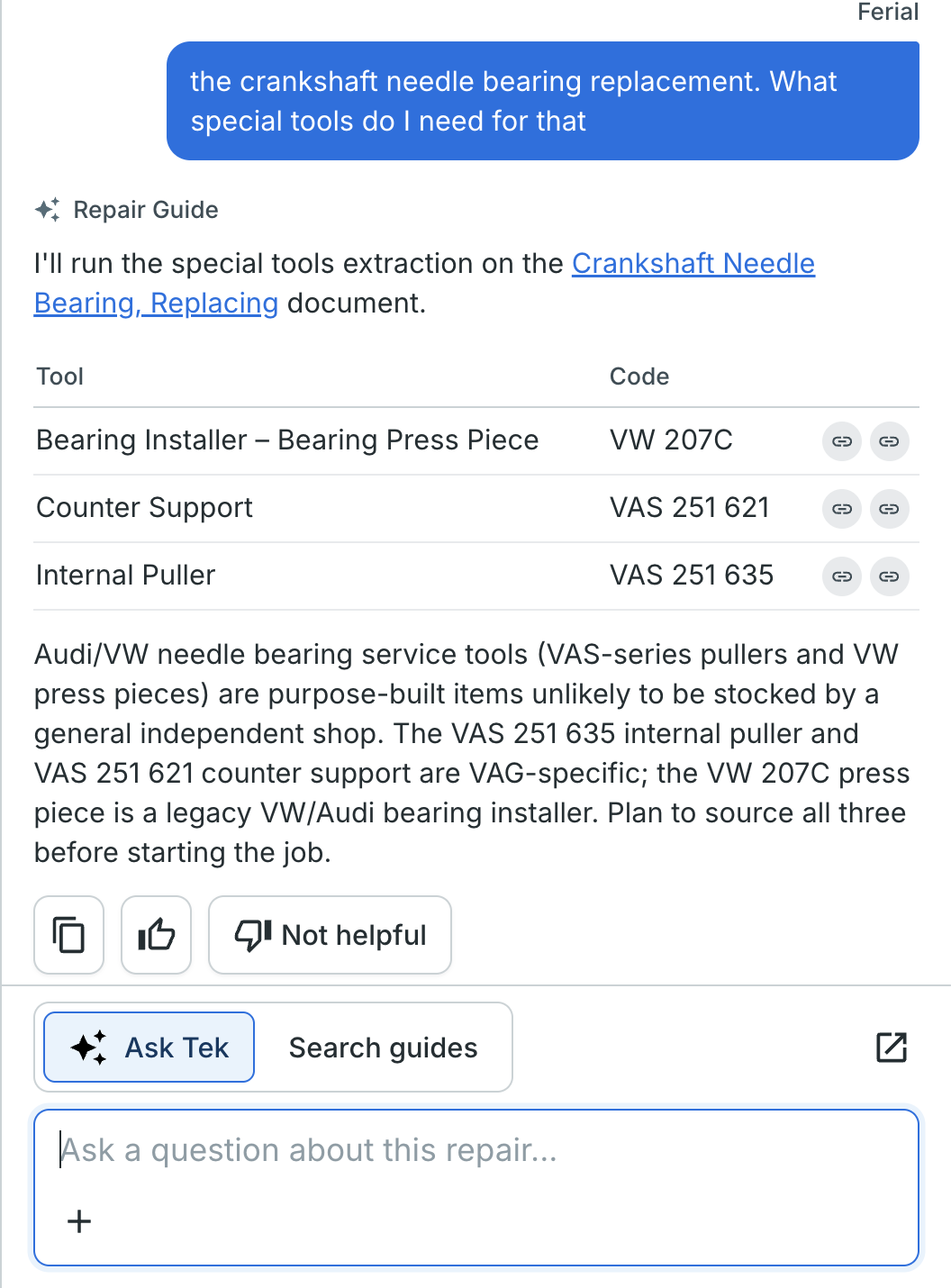
Special Tools
Technicians can also ask the Repair Guide which special tools are needed for the repair, and we will pull that information for them rather than having them read through an entire repair instruction.